I built Sift to free up Google storage, with AI that never leaves your computer
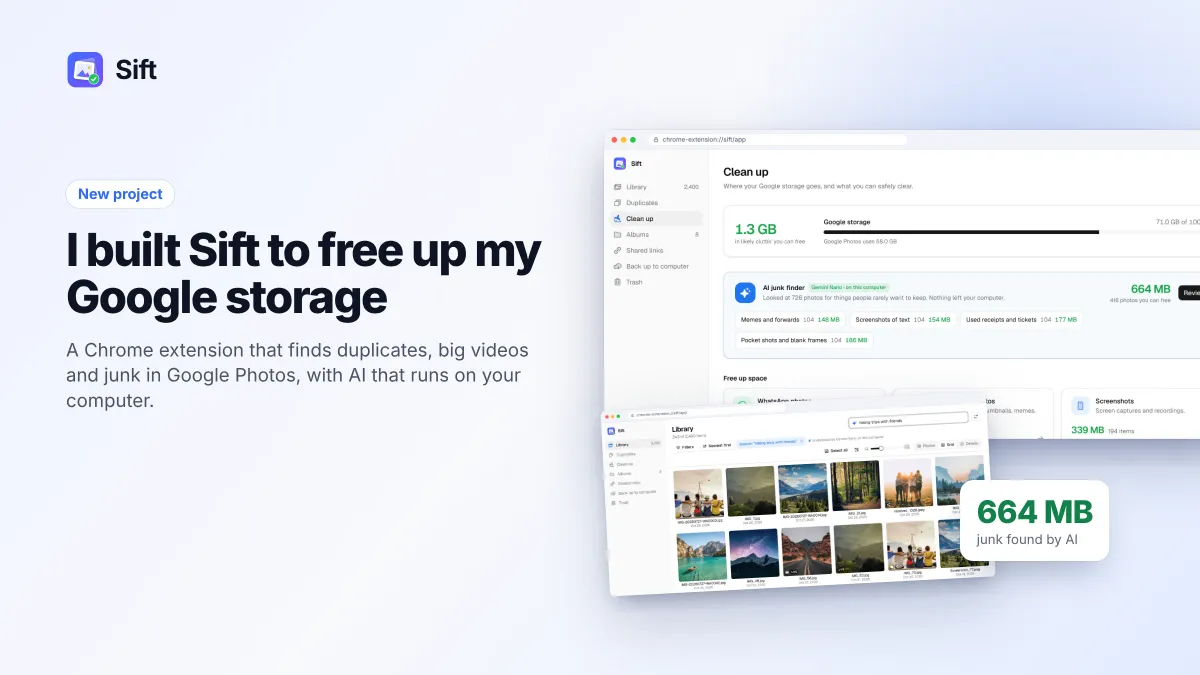
Sift is a Chrome extension that finds duplicates, big videos and junk in Google Photos, shows how much space each clean-up frees, and uses Chrome's on-device AI so your photos never leave your computer.

Michal Wlosik
· 6 min read
Google's "your storage is almost full" email is one of the most effective upsells on the internet. Gmail is about to stop receiving mail, your phone stops backing up, and the fix on offer is a bigger plan, paid every year, for as long as you keep your photos.
Most of the time you don't need more space. You need to know what's using the space you already have. In a typical library it's the usual suspects: photos saved twice over WhatsApp, duplicates from an old phone, long videos nobody will watch again, and piles of screenshots. Google Photos is a lovely place to look at pictures and a hard place to clean them up.
So I built the tool I wanted. It's called Sift, it's a Chrome extension that works on top of the Google Photos website, and it's on the Chrome Web Store. The website is siftphotos.pro.
Why Google Photos is hard to clean
Google gives every account 15 GB, shared between Gmail, Drive and Photos. For most people, Photos is the biggest share by far. Since 2021 every photo you upload counts against that limit, even in the compressed Storage saver quality, so the library only ever grows.
And the tools to shrink it are thin:
- There's no duplicate finder. Copies from a second phone, WhatsApp re-saves and edited versions just sit there next to the originals.
- You can't sort by size. The videos taking up half your storage look exactly like the rest.
- Selecting is slow. There's no select all, no drag-to-select, and Shift-click across thousands of photos means a lot of scrolling.
- You never see the payoff. Nothing tells you how much space a clean-up will free before you do it.
Sift fixes those four things, and then adds some AI on top.
What Sift does
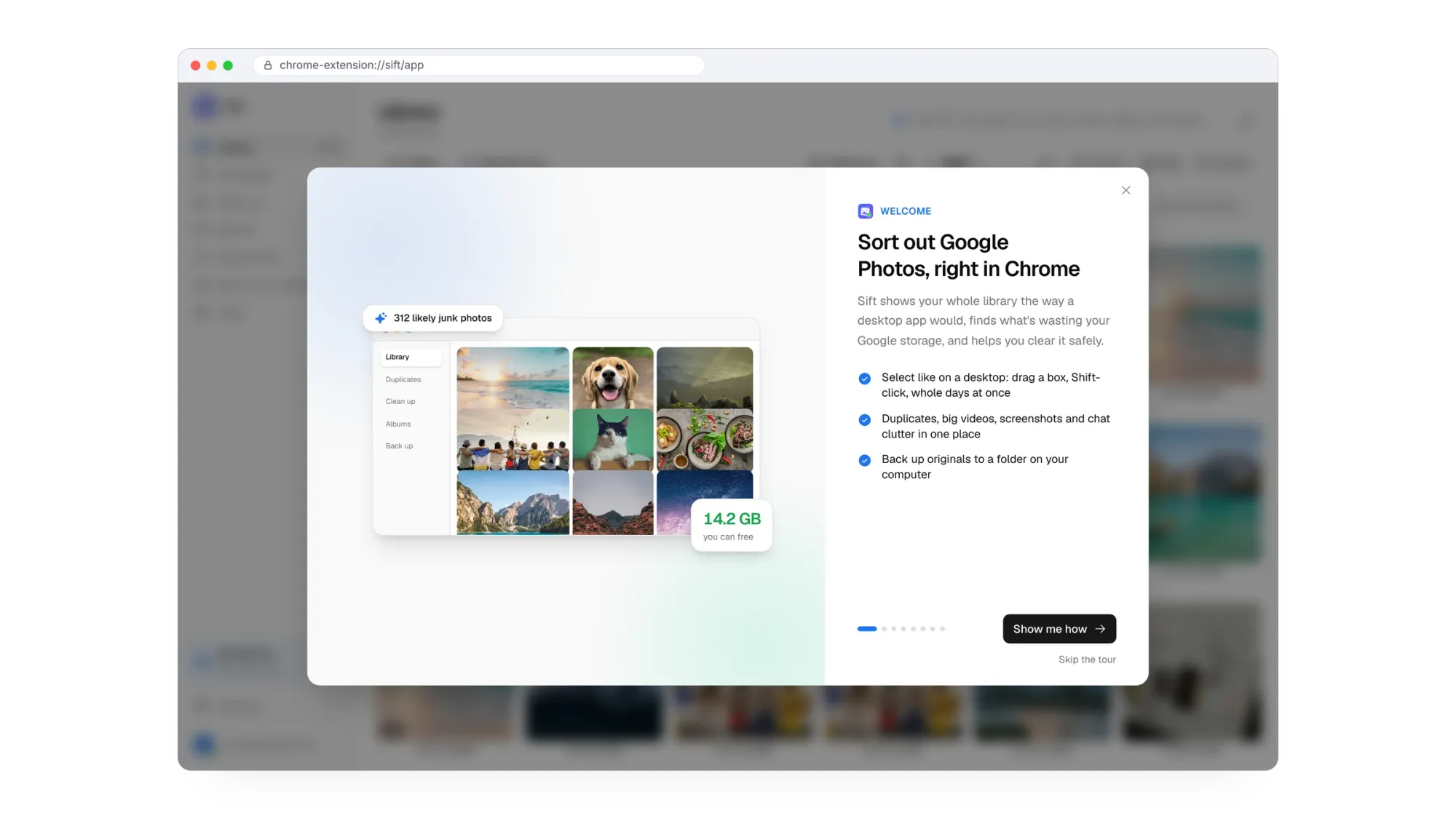
Sift reads your library through the Google Photos website, the same way you see it, and lays it out like a desktop app: a sidebar, a fast grid, a sortable list view, and a Clean up page that shows where your storage actually goes.
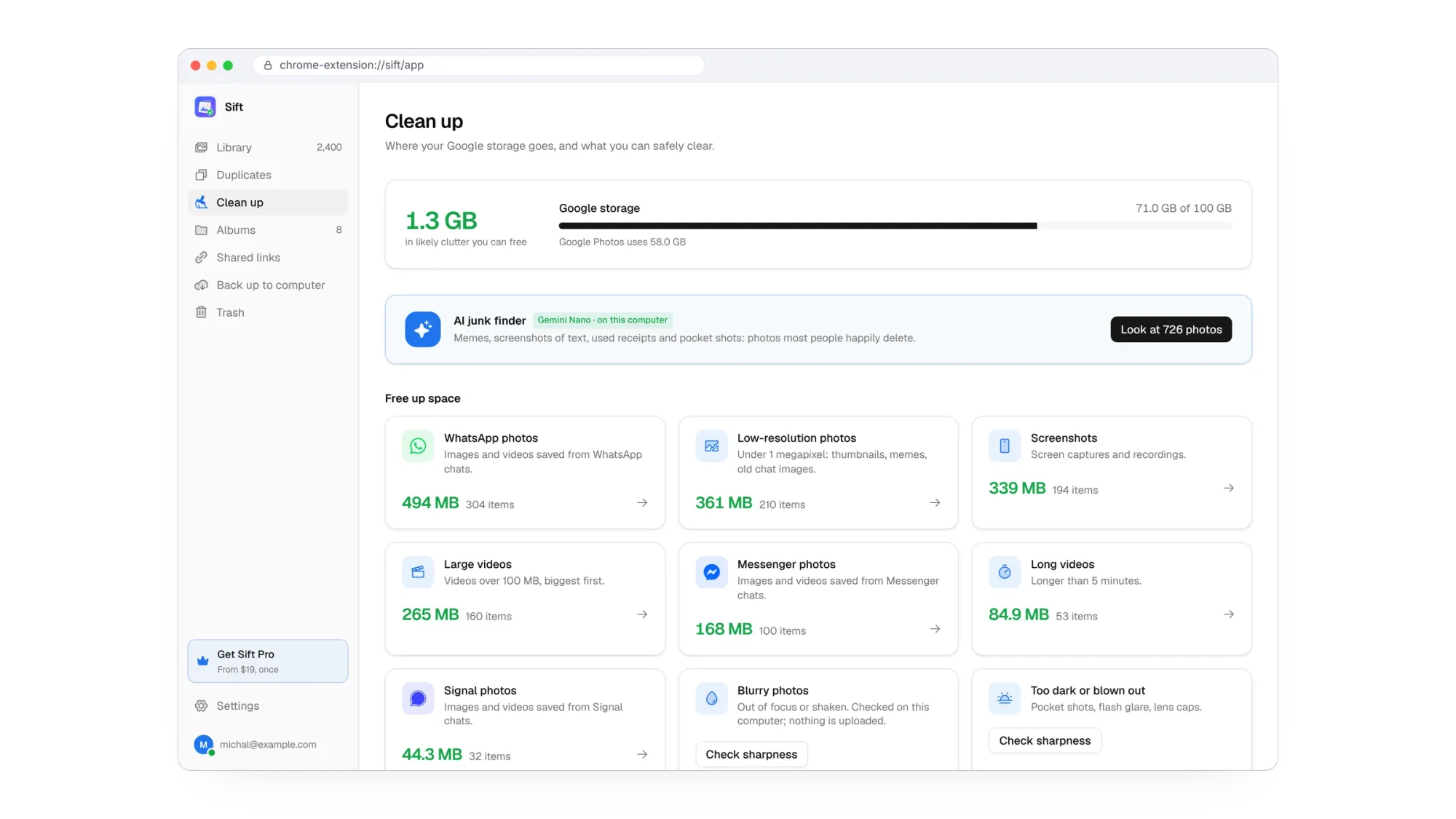
Each pile on that page is a click away: WhatsApp, Messenger and Signal photos, screenshots, low-resolution images, large videos over 100 MB, long videos over five minutes, and blurry or too-dark shots. Every one shows how much Google storage it would free, so you can start where it matters most.
Duplicates and look-alikes
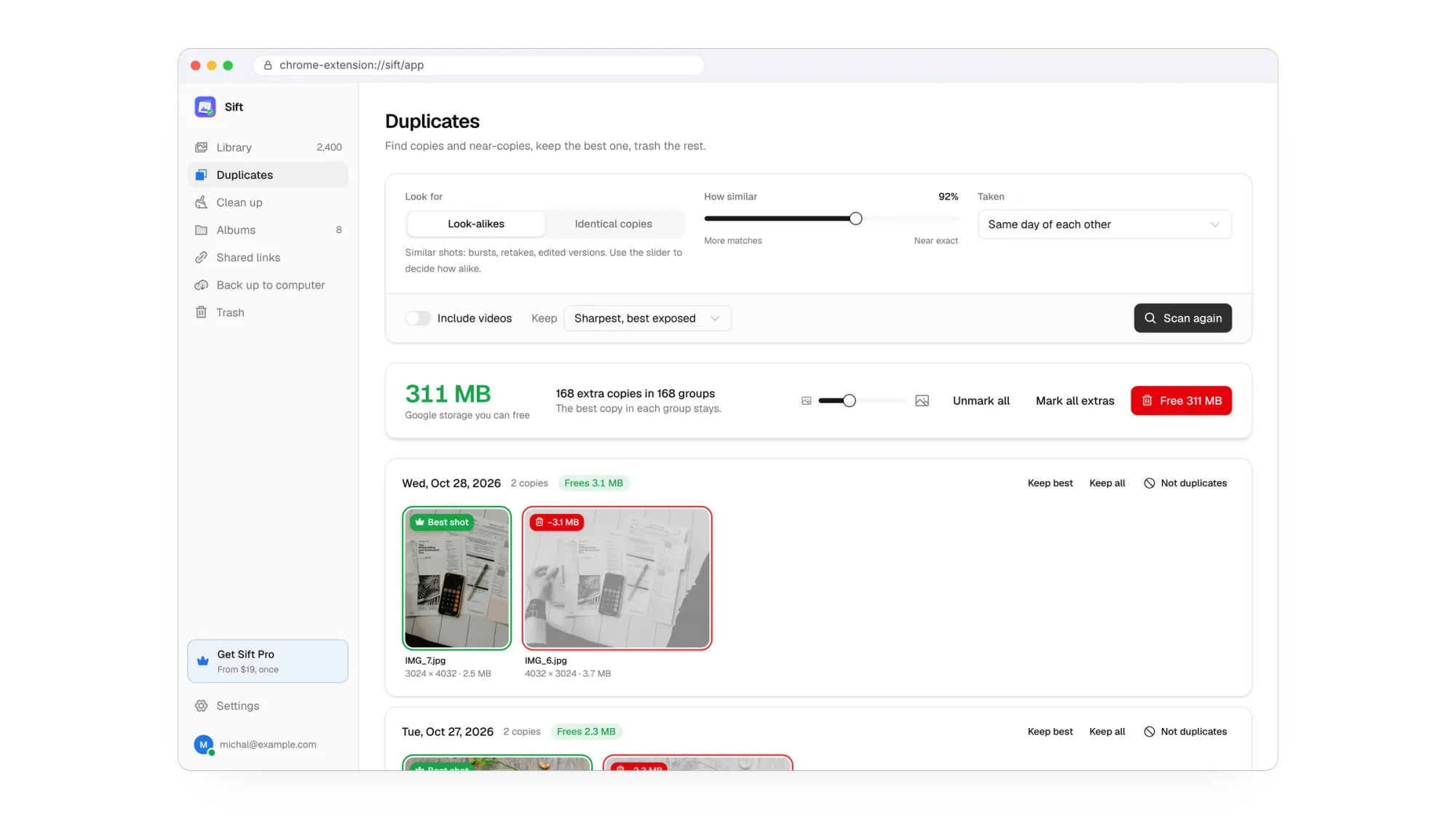
Sift compares photos visually, not just by file name, so it catches exact copies and the near-copies Google ignores: burst shots, retakes and edited versions. In each group it keeps the sharpest, best-exposed shot and marks the rest. A slider decides how alike two photos have to be.
Select like on a desktop
Drag a box over photos, Shift-click a range, Ctrl-click to add, right-click for actions. A bar at the bottom keeps a running total of what the selection frees. It's the thing I missed most in Google Photos, and the one that saves the most time.
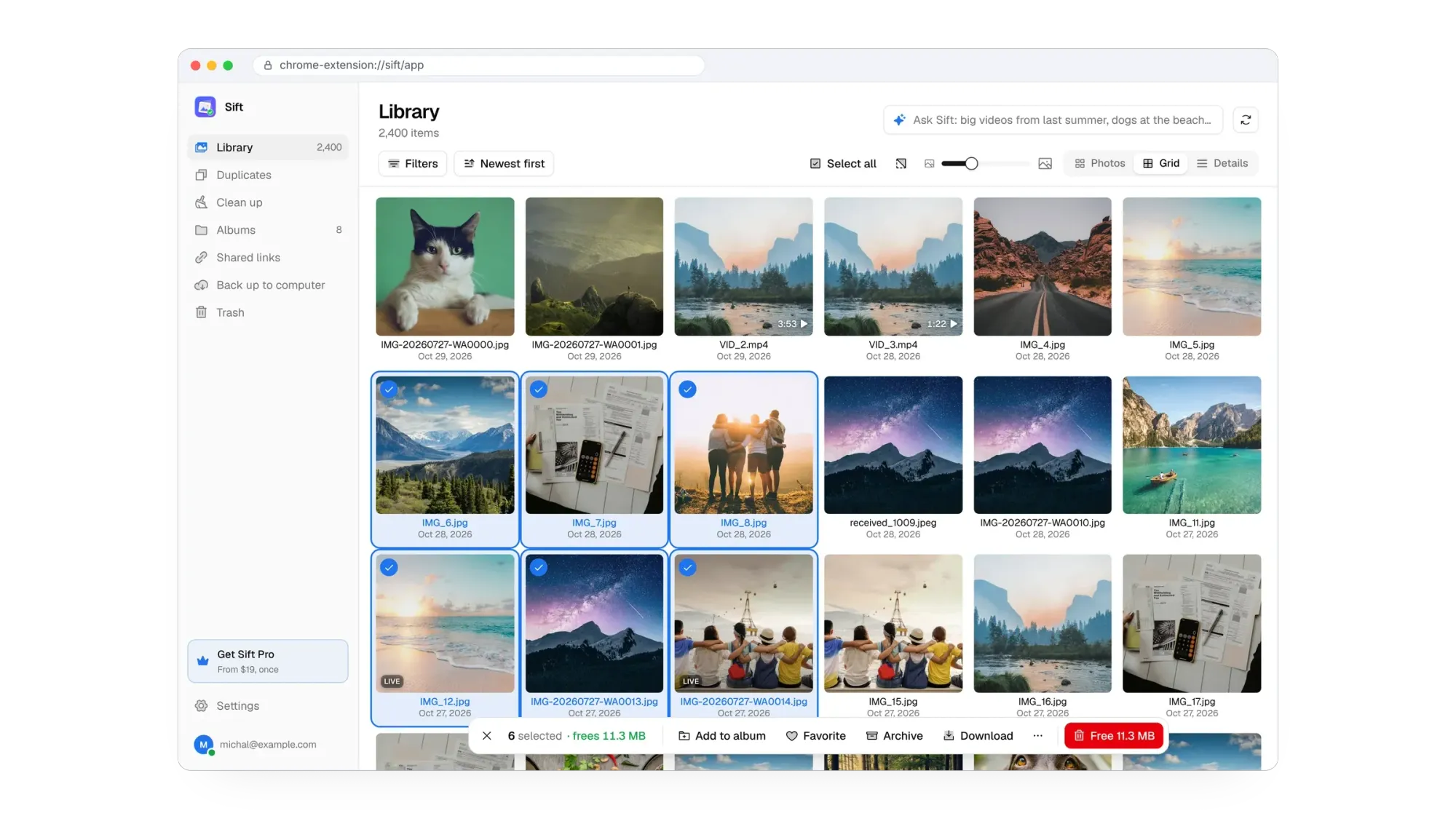

Free up Google storage without paying Google every year. Sift is free to try: it frees up to 1 GB, with no card and no account.
The AI part, and why it stays on your computer
This is where Sift goes further than a file manager. It has two AI features, and neither of them sends your photos anywhere.
Both run on Gemini Nano, the small model built into Chrome itself. Chrome downloads it once on computers that support it, and from then on it runs locally. Sift never uploads a photo to me, to an AI service or to anyone else. For something as personal as a photo library, that felt like the only acceptable way to do it.
Ask Sift
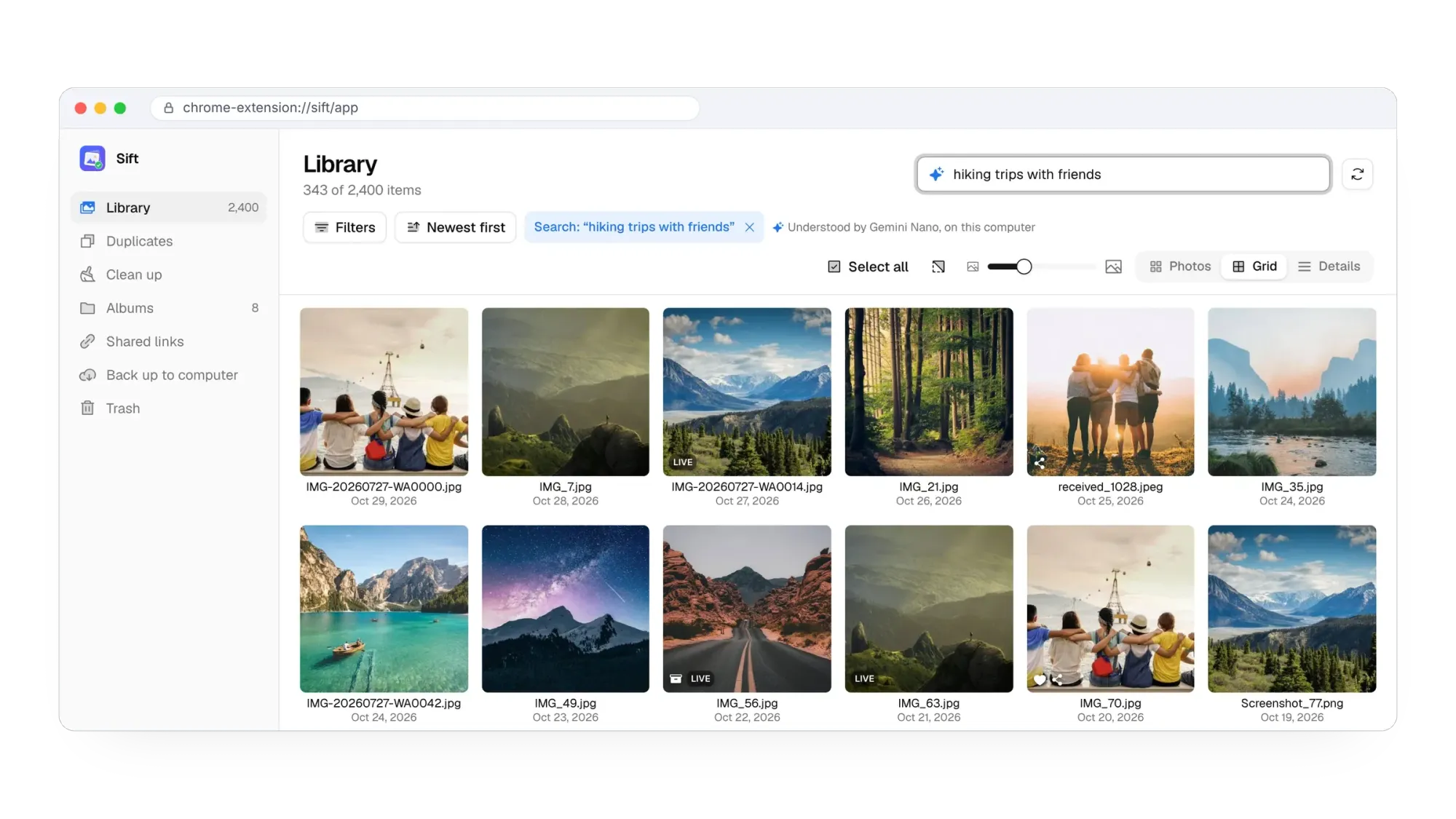
Instead of hunting through filters, you type what you're looking for: "big videos from last summer", "screenshots from 2023", "hiking trips with friends". Sift works out what you mean and sets the filters for you: dates, file types, sizes and a search. You can see exactly what it understood and tweak it from there.
The AI junk finder
Some clutter can't be found by size or file name: memes and forwards, photos of receipts and tickets you needed once, screenshots of text, pocket shots and blank frames. The junk finder looks at your photos one by one, on your computer, and sorts the likely junk into piles you can review.
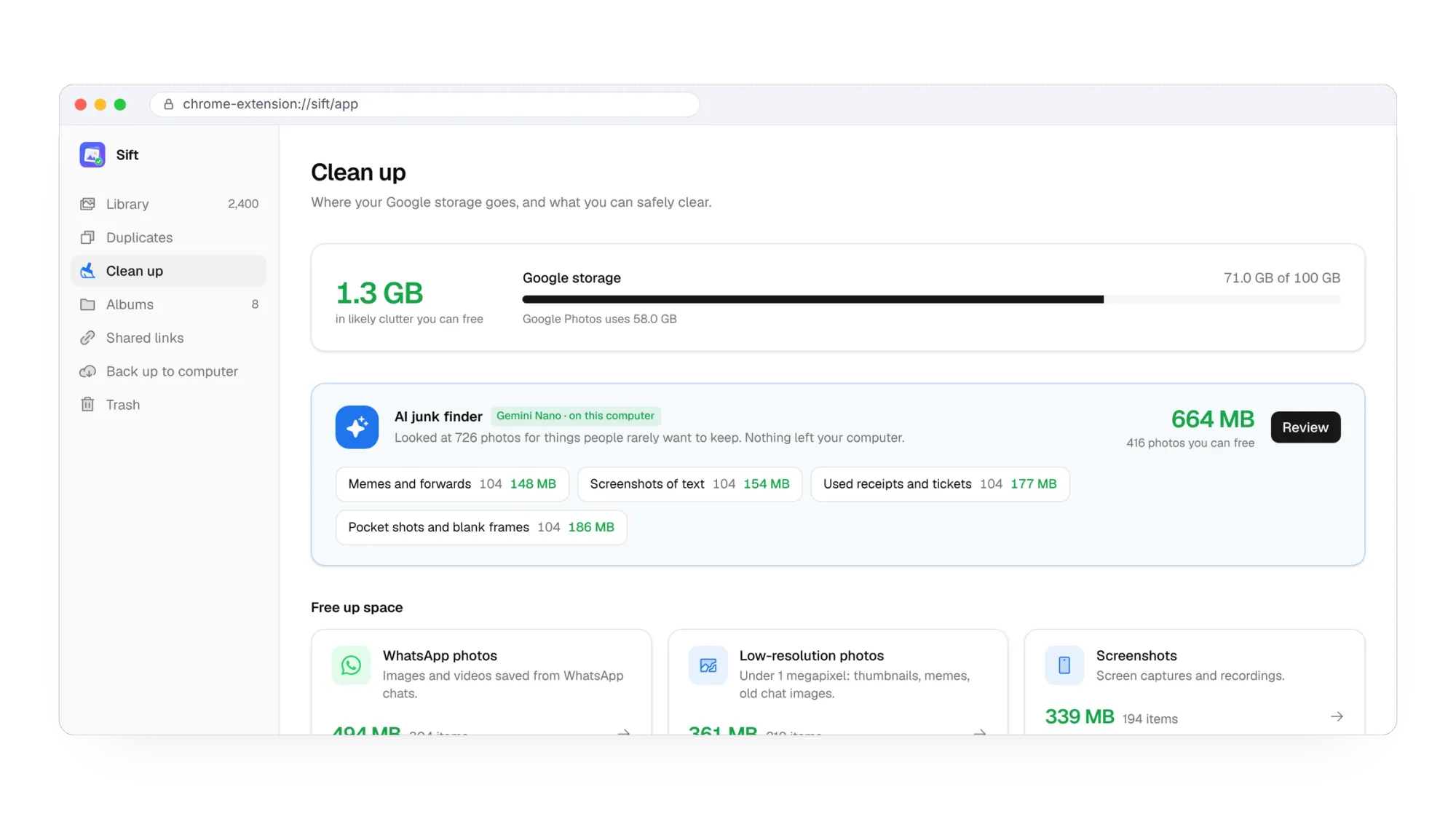
Nothing is removed until you say so. You review each pile, keep what you want, and send the rest to Google Photos' trash.
Safe by design
An app that deletes photos has to be boring about safety, so Sift is:
- It only uses Google Photos' trash. Sift never empties it. Anything you remove can be restored for 30 days.
- You sign in on Google's own page. Your password goes to Google, never to Sift.
- Your photos never reach me. They travel between Google and your computer only. There's no tracking.
- It shows the numbers first. Every clean-up tells you what it frees before anything happens.
Back up your originals first
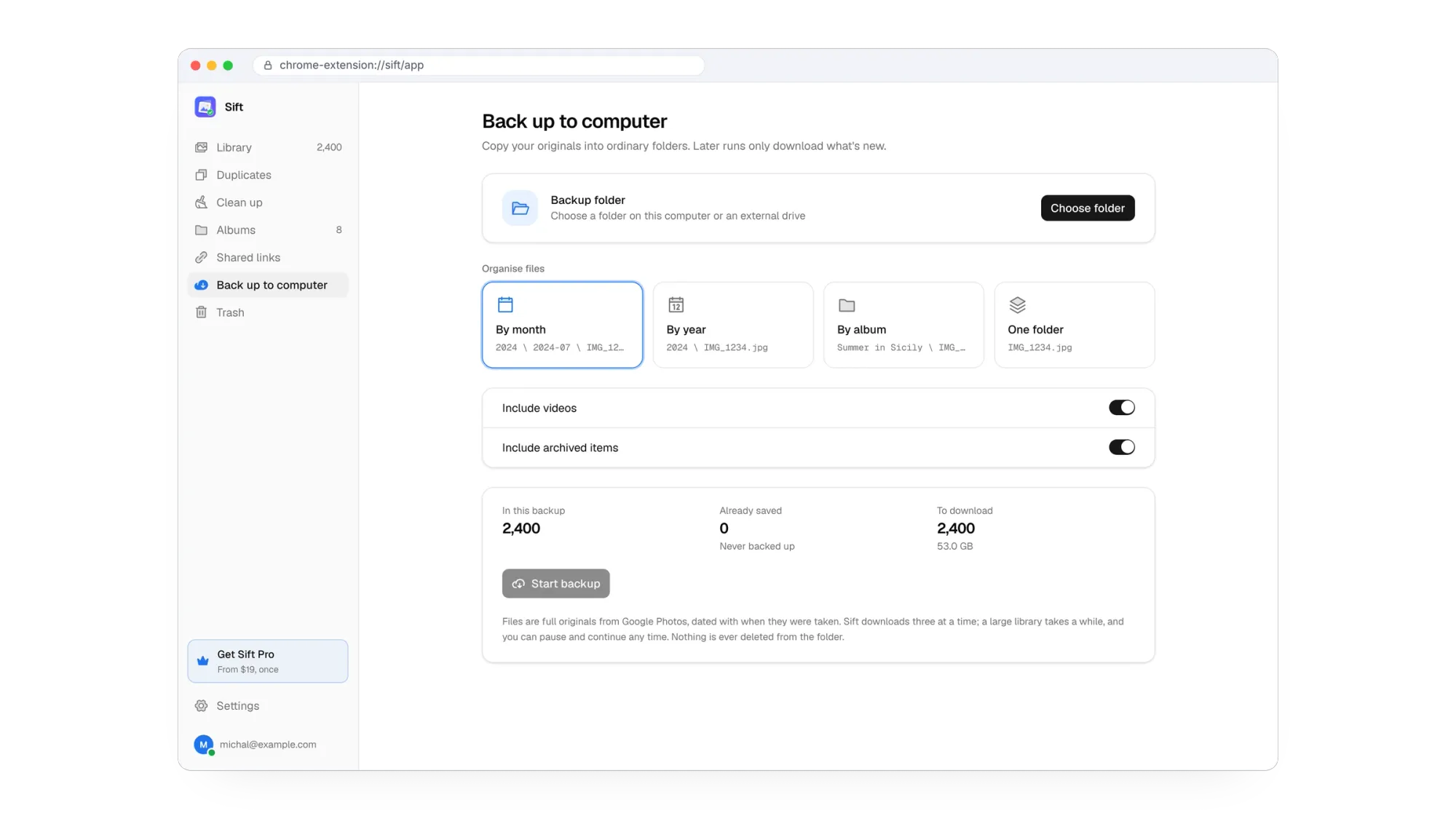
Before a big clean-up, it's worth having your own copy. Sift's backup downloads full-quality originals into ordinary folders on your computer or an external drive, sorted by month, year or album, and dated with when each photo was taken. Later runs only download what's new. It's a lot friendlier than unpacking a stack of Google Takeout zips.
There are album tools too: merging albums, finding photos that aren't in any album, and fixing wrong dates in bulk from file names, which rescues all those WhatsApp images that show the day you saved them instead of the day they were taken.
How I built it
Sift started as a Windows app. I built it on the same stack as Junction, my link router, using the open-source Google Photos Toolkit as the engine for talking to Google Photos. Once the core worked, the obvious next step was the browser: most people already have Google Photos open in Chrome, and Chrome ships with an on-device AI model. So the Chrome extension became the main product, with the same interface as the desktop app.
Like my other recent projects, I built it with Claude as my pair programmer, tested every screen against a mock library, and made the website with Ectobuilder, including all the screenshots you see here. Licences and checkout run on Polar.
Free, and Pro
Sift is free to use: every scan, Ask Sift, browsing, filtering and adding to albums, and it frees up to 1 GB of Google storage and backs up your first 500 photos. No card, no account.
Sift Pro removes the limits and adds the album tools, bulk date fixes and CSV export. It's paid once, with updates included: $19 for one Google account or $39 for a family of up to five accounts, on any number of computers. For comparison, Google's 100 GB plan costs about $24 every year. Details are on the pricing page.
See how much space you can win back. Install Sift, open it next to Google Photos, and the Clean up page shows your numbers in a minute.
Try it
Sift is on the Chrome Web Store, and there's a step-by-step how-to guide on the website. It's a new product, and Google changes its website now and then, so if something breaks or you'd like a feature, tell me through the contact page or on LinkedIn.
Sift is an independent project, not made, endorsed or supported by Google.
Written by
Builder, product marketer and AI enthusiast. I ship my own apps, like Sift (siftphotos.pro), Penlo (penlo.app), Ectobuilder (ectobuilder.com) and Cubbie (cubbie.pro), and write about building and marketing them with AI.
Keep reading
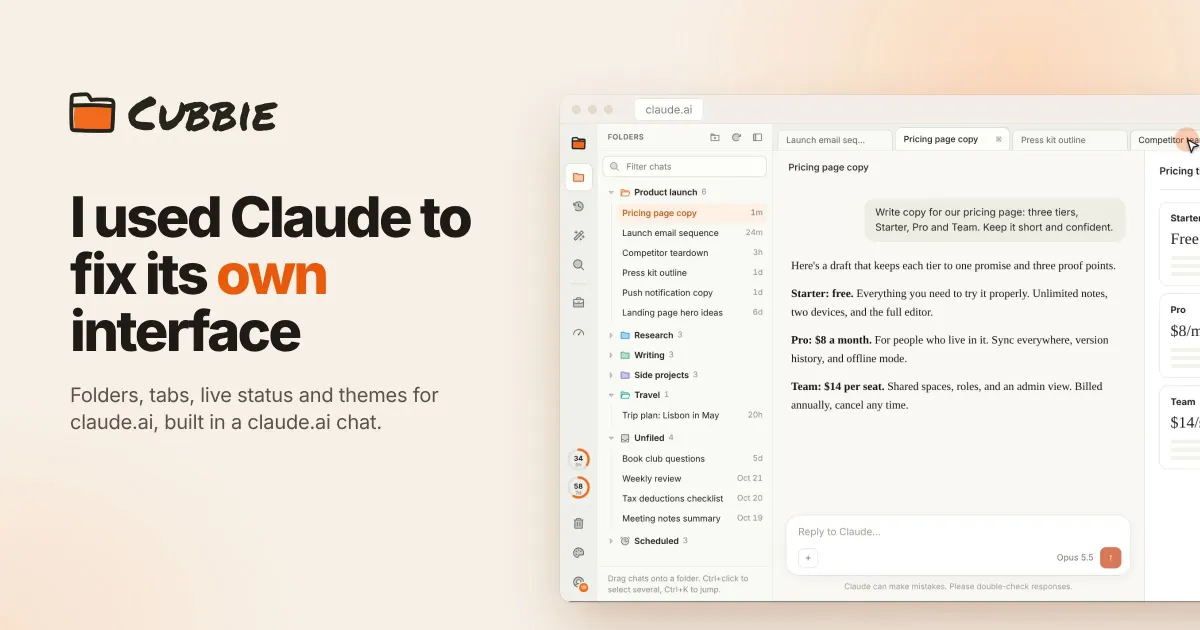
I gave claude.ai the sidebar it was missing. Meet Cubbie
Cubbie is a free Chrome extension that gives claude.ai folders, tabs, a Ctrl K switcher, a glow when a reply is being written, and themes for the whole page.
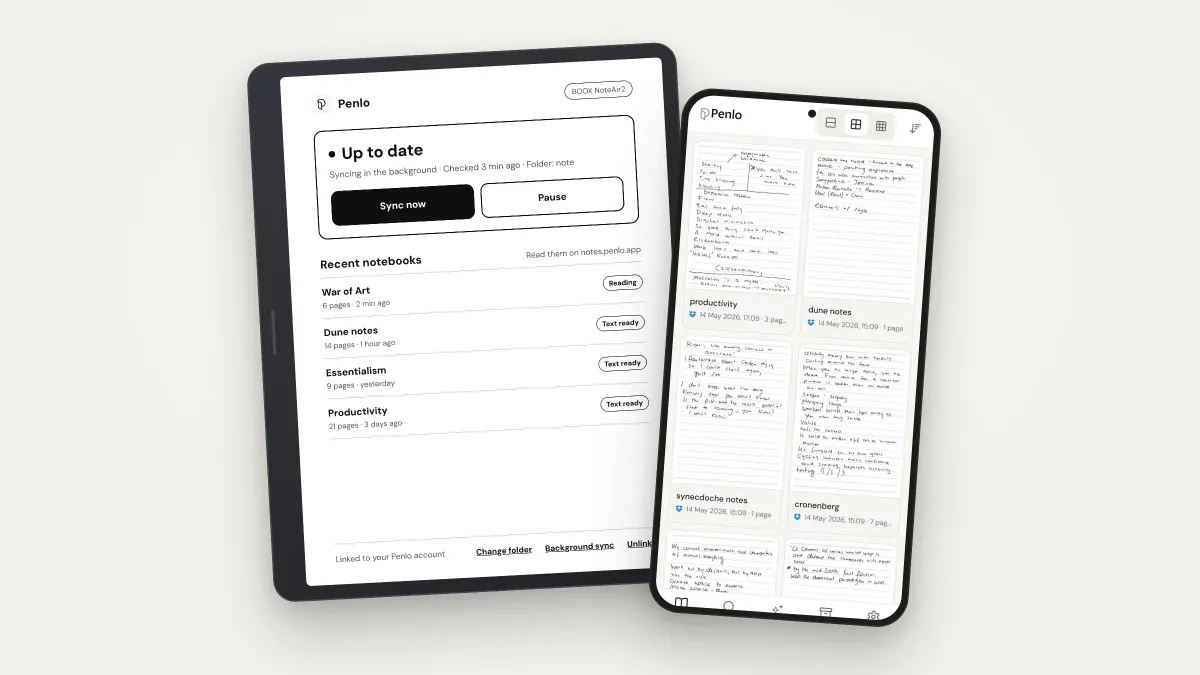
Penlo now syncs straight from your BOOX. Here's everything it does with your handwritten notes
Penlo makes the handwritten notes on your e-ink tablet searchable. Here's the full tour: direct BOOX sync with the new Android app, Dropbox and OneDrive for every other tablet, pairing in one tap, Penlo AI, exports and MCP.
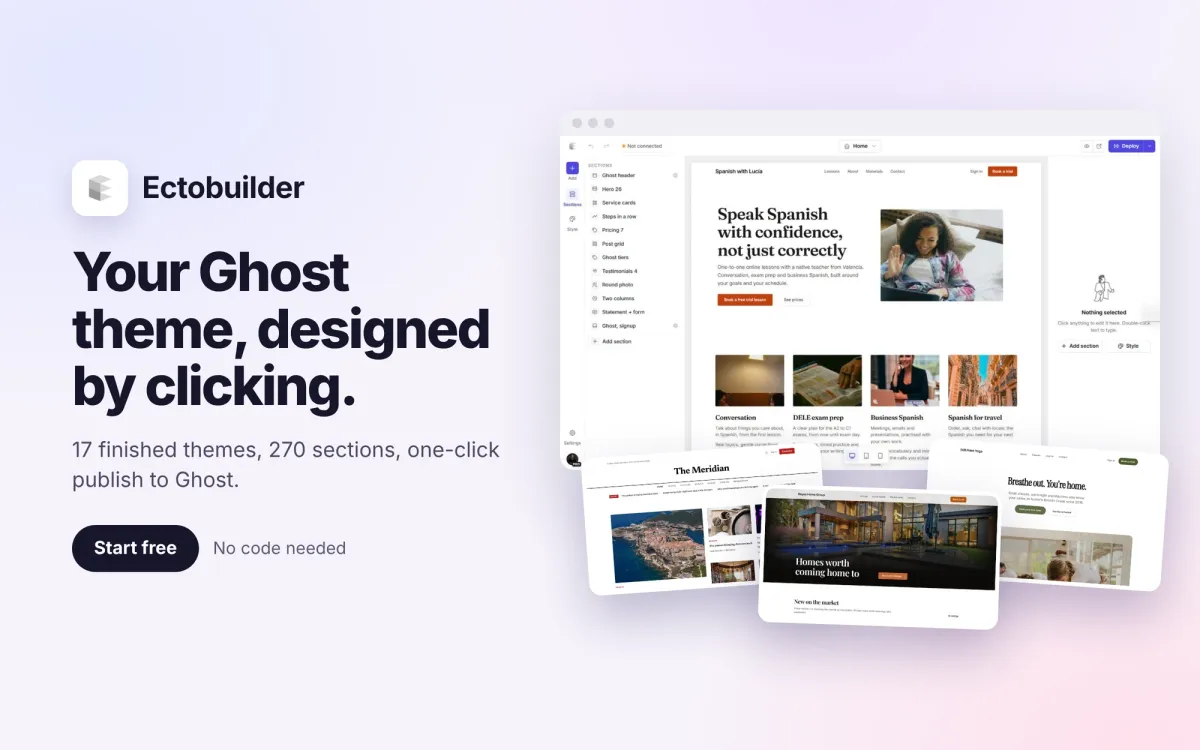
Ectobuilder: design your Ghost theme by clicking, then publish it in one go
I built Ectobuilder because designing a Ghost theme still meant writing Handlebars. Now you pick one of 17 finished themes, change everything on the page, and publish a real Ghost theme to your site in one click.