I gave claude.ai the sidebar it was missing. Meet Cubbie
Cubbie is a free Chrome extension that gives claude.ai folders, tabs, a Ctrl K switcher, a glow when a reply is being written, and themes for the whole page.

Michal Wlosik
· 6 min read
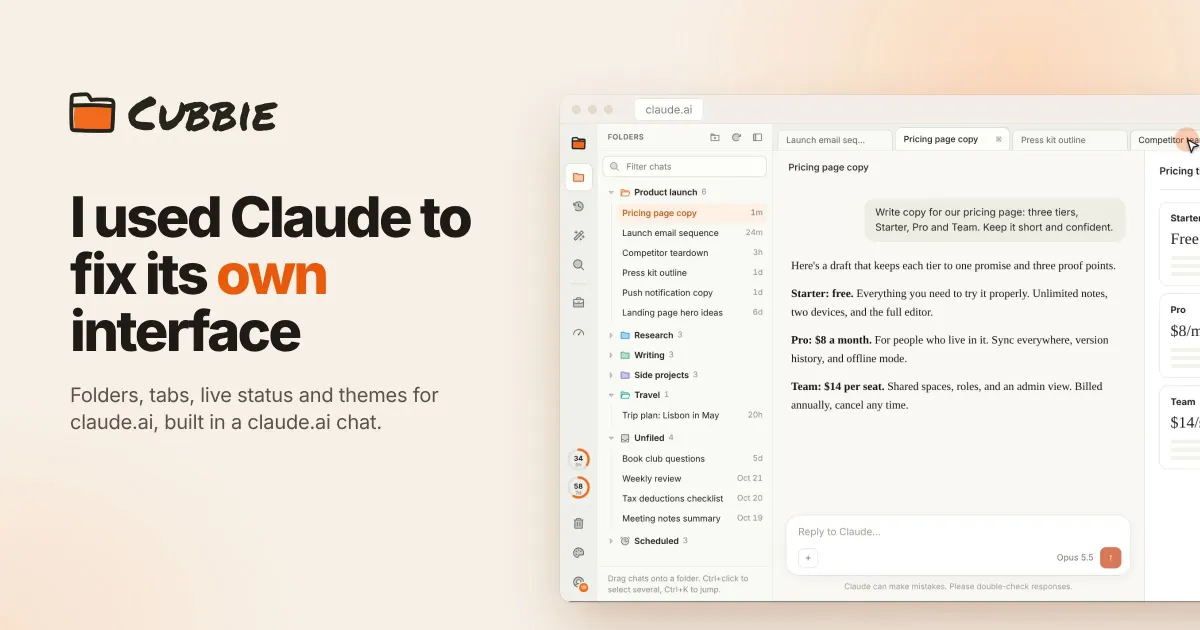
I spend most of my working day in claude.ai. Penlo, Ectobuilder, Junction, client work, a Wear OS app, my lease paperwork: all of it lives in one long, flat list of chats in the left sidebar. The assistant is great at the work. Finding the chat where I did the work is another story.
So I built the sidebar I wanted. It's a Chrome extension called Cubbie, it rebuilds the left side of claude.ai around folders and tabs, and it's free on the Chrome Web Store.
The problem with the sidebar
The claude.ai sidebar is a list of recent chats, newest first. Projects help a bit, but they're built for sharing files and instructions, not for filing hundreds of conversations. Once you have a few weeks of real work behind you, the sidebar stops being a place you look things up and becomes a place you scroll through hoping to recognise a title.
The small costs add up:
- Lost context. The chat where I worked out Ectobuilder's pricing is somewhere below forty newer ones. Search finds it if I remember the right word.
- One chat at a time. I often have three or four things running at once: a post in one chat, a bug fix in another, research in a third. Switching between them means going back to the list every time.
- No idea when a reply is done. I start a long task, go to another chat, and then keep checking back to see if the first one has finished.
An extension, not a new app
My first idea was bigger: a separate desktop app with my own layout and folders. I dropped it quickly. A third-party app can't sign in with a claude.ai subscription, so it would mean paying for the API by the token and losing everything that lives inside claude.ai: memory, Projects, artifacts, connectors and the link to your computer.
A browser extension avoids all of that. The real claude.ai keeps running in your browser, with your login and all its features, and the extension changes how the page looks and adds organisation on top. Nothing about how you work changes. You just get a better place to keep it.
Before building, I checked what already existed. There are a dozen extensions that add folders, search and export to the sidebar, and a couple that recolour the page. None of them change the layout. They bolt a folder tree onto a sidebar that was never designed for one. That was the gap I wanted to fill: not "folders for claude.ai" but a proper workbench around it.
How I built it
The first version had a short list: folders on the left, expandable and collapsible, chats sorted by recency inside each one, a Recents view, and a Trash that hides chats instead of deleting them. It also had to look like it belonged, so I used Radix Colors for the palette and Phosphor's duotone icons, on a Manifest V3 extension.
claude.ai changes its markup often, so I tested Cubbie against a mock of the page in a headless browser, with an automated check for every feature. By launch there were 79 of them, and every claude.ai-specific selector lives in one config file, so a layout change on their side is a quick fix on mine.
What Cubbie does
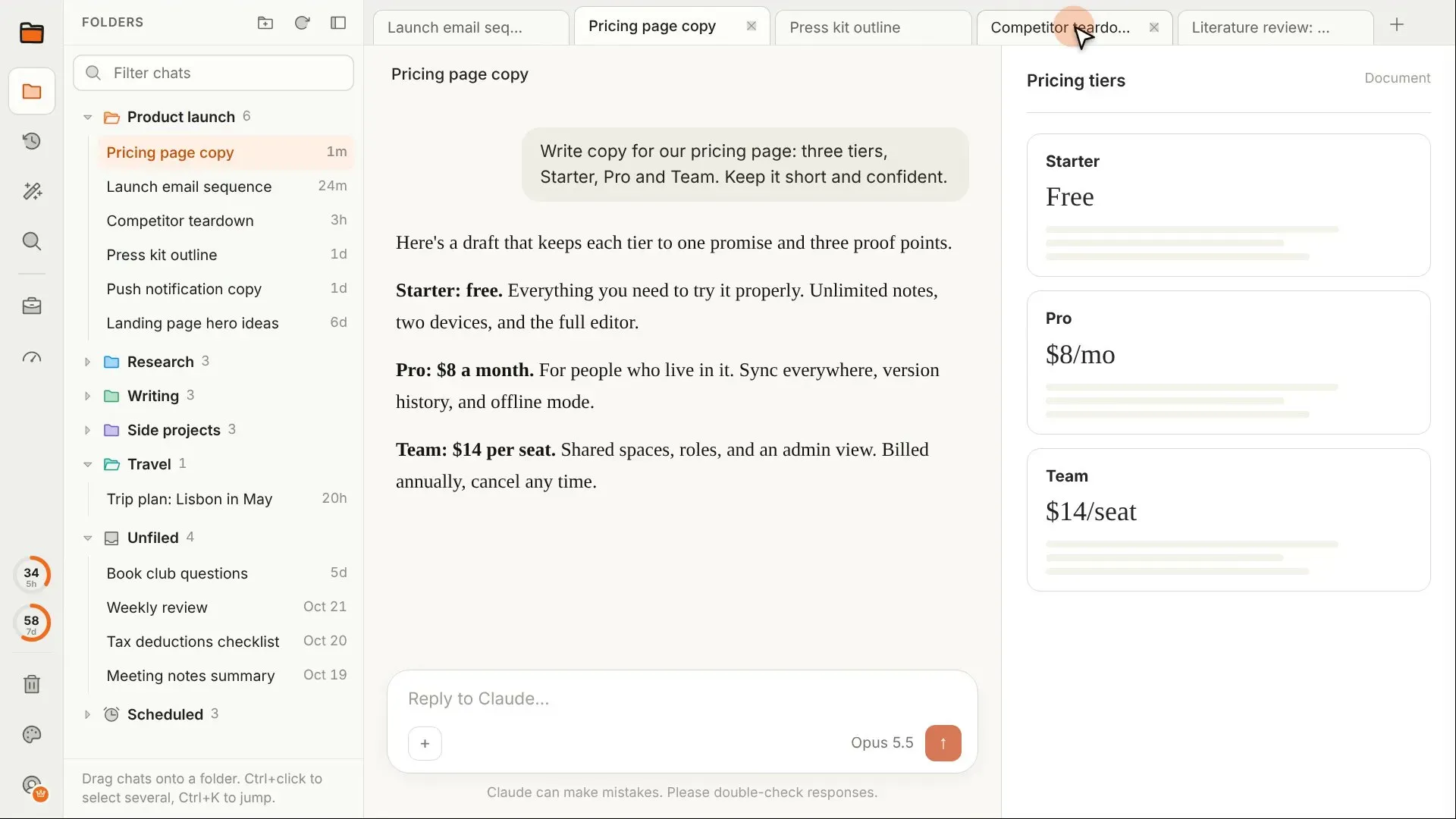
Cubbie takes over the space where the claude.ai sidebar was. The chat and the artifacts panel stay exactly as they are, so nothing you rely on moves.
Folders that behave like folders
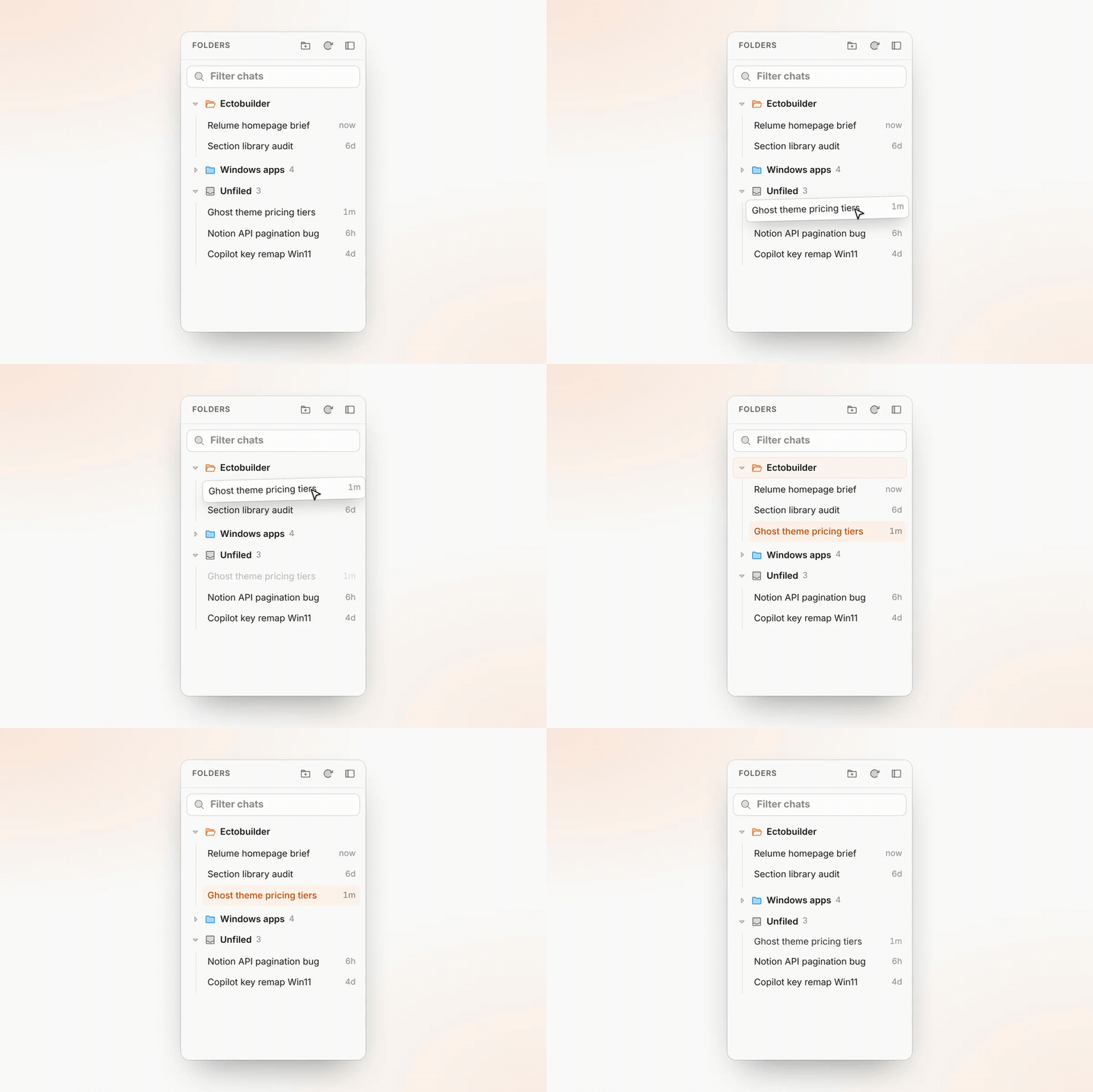
Make folders and subfolders, give them colours, and drag chats into them. Inside a folder, chats are sorted by what you used last, so the active work floats to the top. You can also drag a chat straight in from the native chat list, and rename chats right in Cubbie. The new name is saved in claude.ai, so it shows up everywhere.
Recents is still there, but grouped: one section per folder, ordered by the newest chat in each, so you can see which project you touched last. And Trash only hides chats, in Cubbie and in the native lists. Nothing is ever deleted, and you can restore anything.
Tabs and Ctrl K
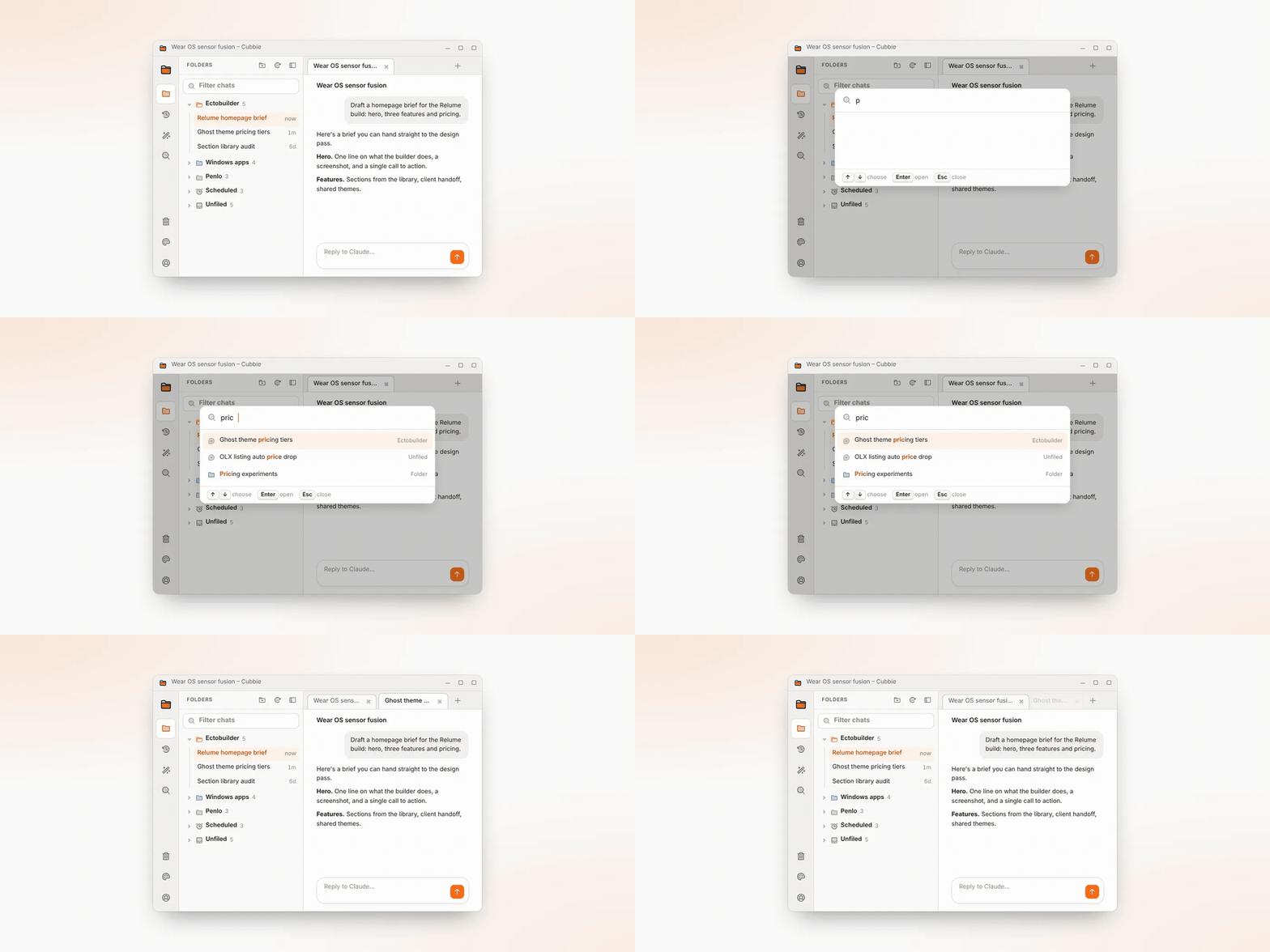
Open chats sit in tabs along the top, like a browser. Pin the ones you always need. Clicking a chat in the sidebar opens it in the current tab instead of piling up new browser tabs. Ctrl K brings up a switcher that finds any chat or folder as you type.
See when a reply is ready
This is the feature I use most. A chat glows while a reply is being written in it, a dot marks a chat with a reply you haven't read, and, with Pro, a desktop notification tells you when it's done. I can start a long task, move to another tab and forget about it until Chrome tells me it's finished.
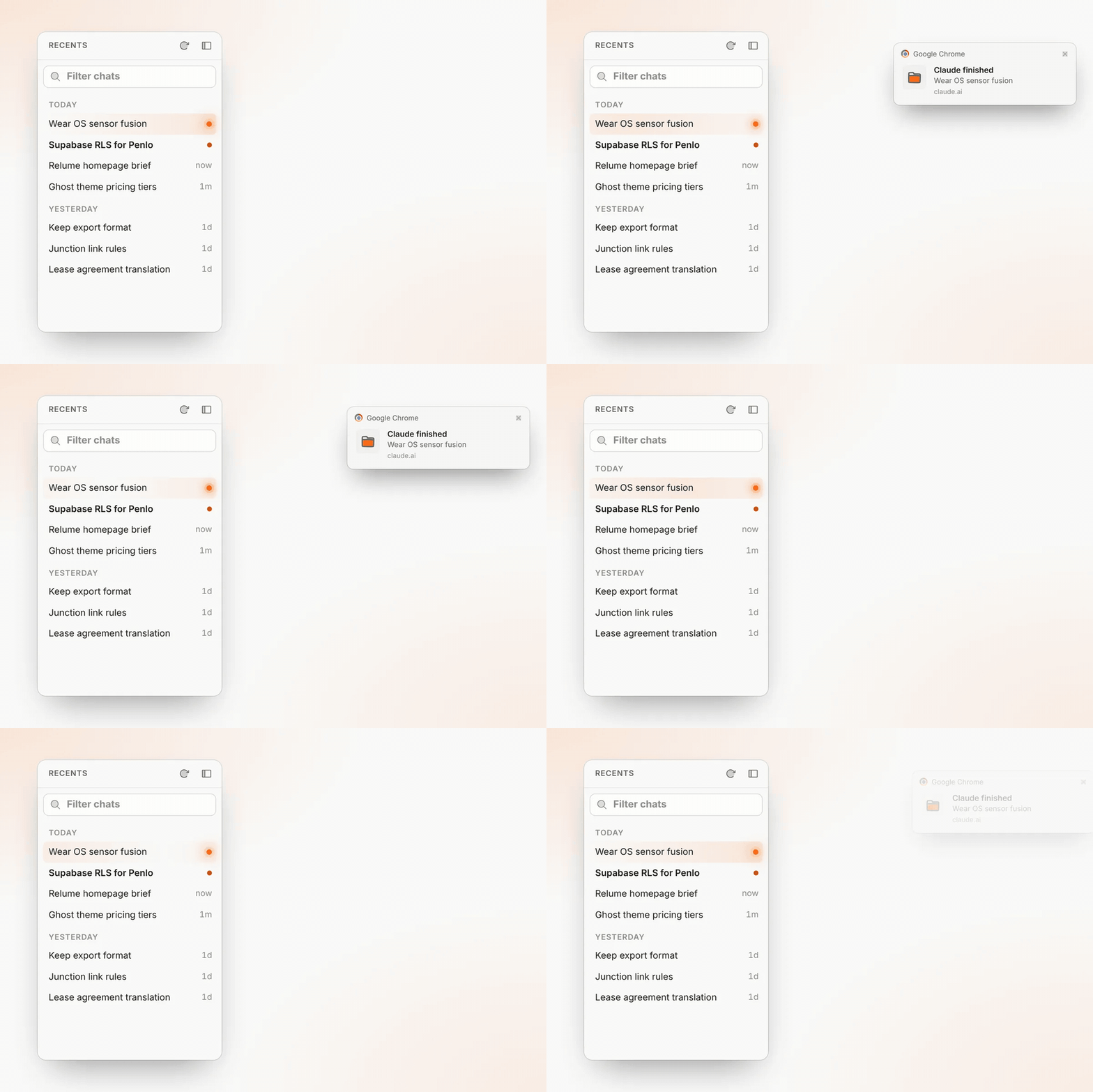
Your plan usage also sits at the bottom of the sidebar as two small rings, so you can see how close you are to the limit before you start something big.
Rules that do the filing
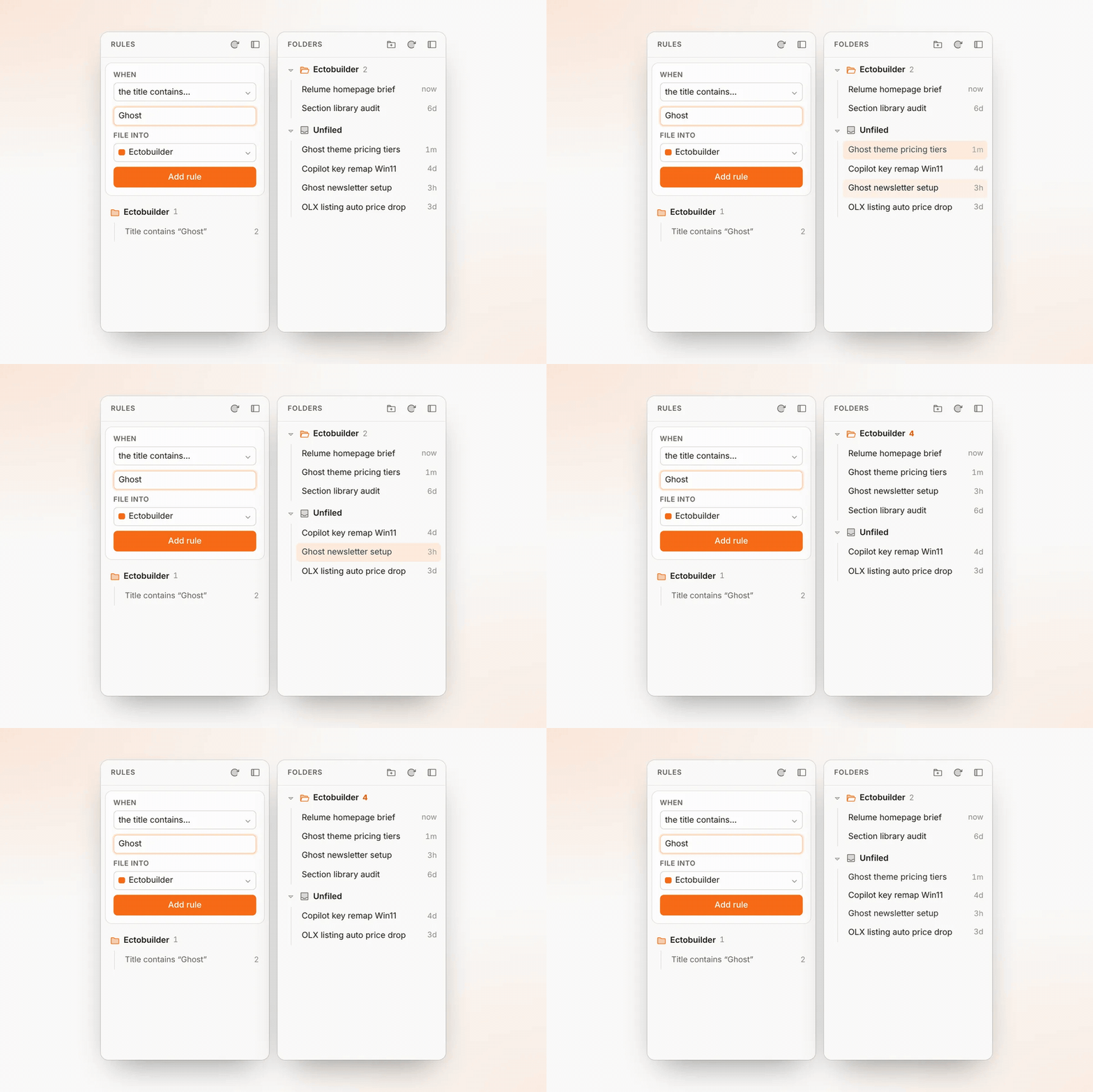
Filing by hand gets old, so Cubbie has rules. "Title contains Ghost" goes into Ectobuilder. "Project is Mobile app" goes into Side projects. A new rule files your old chats at once and then catches new ones as they appear. Rules only touch new and unfiled chats, so anything you've filed yourself stays put.
Themes for the whole page
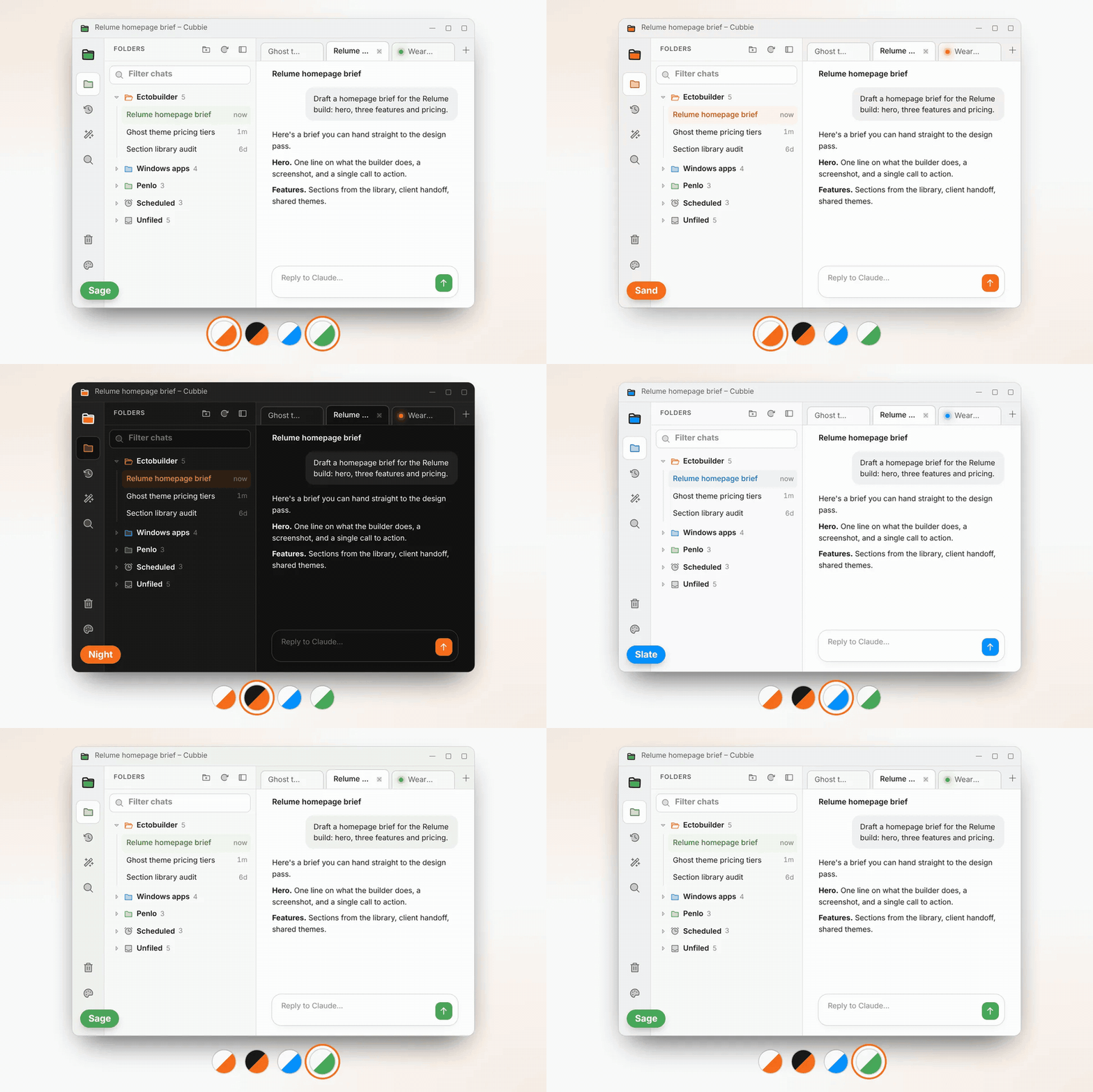
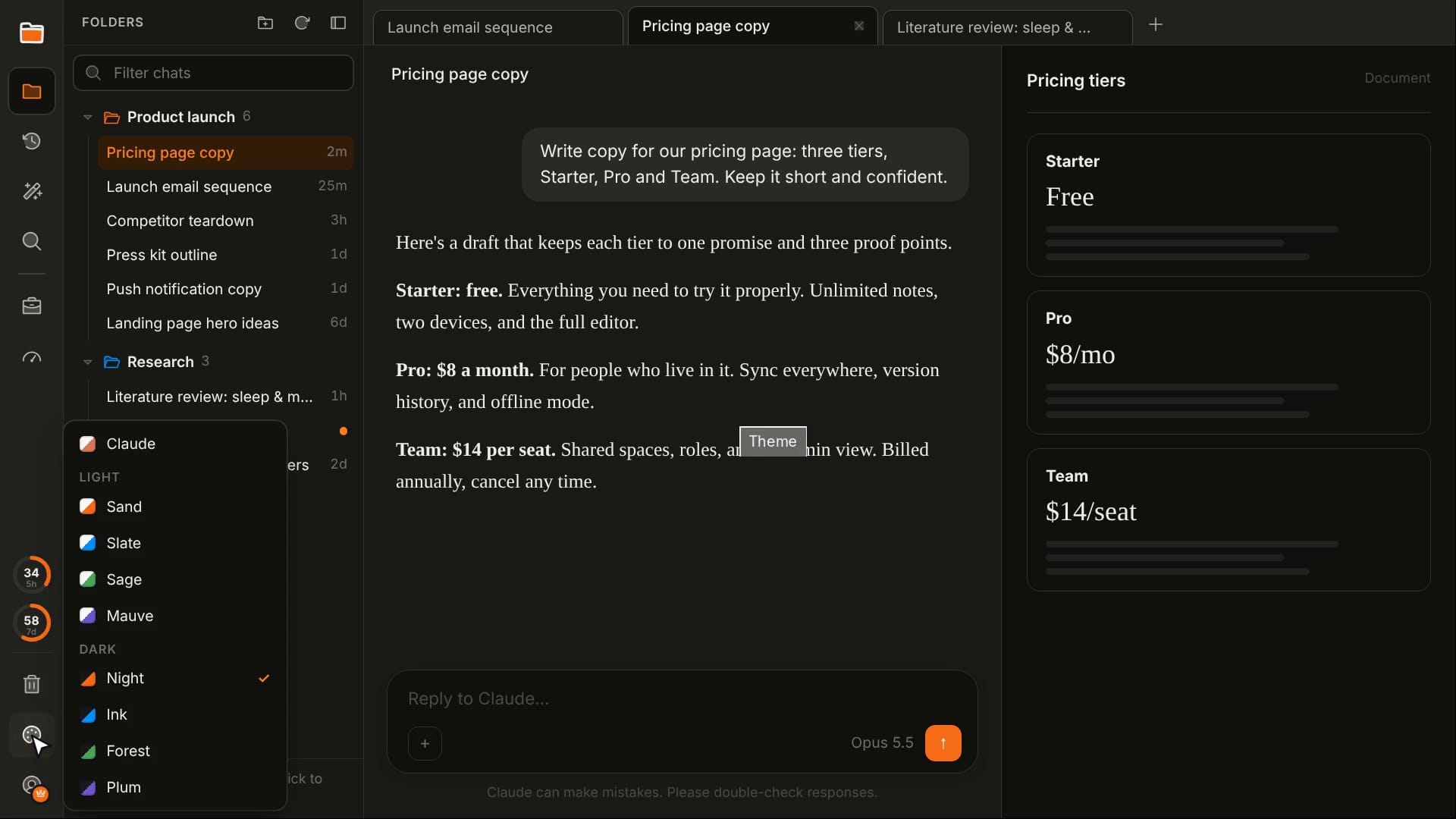
Nine light and dark themes recolour Cubbie, the chat and the artifacts panel together, so the whole page matches rather than just the sidebar.
What it doesn't do
An extension that sits on top of your claude.ai account should be boring about privacy, so Cubbie is:
- It reads your chat list, not your chats. Titles, ids and dates are all it needs to organise them.
- Your folders stay with you. They're stored in your browser and Chrome sync. Nothing is sent to me.
- It never sends messages for you. You do all the typing, exactly as before.
- It never deletes anything. Trash hides chats. That's all it can do.
The full details are in the privacy policy. Cubbie is an independent project, not made, endorsed or supported by Anthropic.
The website and the video
Once the extension worked, I built Cubbie's website with Ectobuilder, my Ghost theme builder, including the animated demos you've seen above, plus a help page that walks through every feature. Licence keys and checkout run on Polar, so Pro needs no account. I also made the demo video: a short script, each scene recorded in the browser, narration, a royalty-free music track that ducks under the voice, and captions.
Free, and Pro
The core of Cubbie is free for good: folders, subfolders and colours, tabs and pinned tabs, the Ctrl K switcher, the working glow and reply dots, Recents and Trash.
Cubbie Pro adds auto-file rules, desktop notifications, every theme, and Cubbie for Windows, a companion app I'm still testing. It's $39 a year, $4.99 a month, or $79 once for a lifetime licence. One licence key works on up to three devices, there's no account to create, and if Pro isn't for you, email within 14 days for a full refund.
Try it
Cubbie is free on the Chrome Web Store as "Cubbie for Claude". Install it, open claude.ai, and your chats are ready to file before your next reply finishes.
It's an early version, and claude.ai changes often, so things will break now and then. When they do, tell me. I'm on LinkedIn, or you can reach me through the support page.
Written by
Keep reading
Penlo now syncs straight from your BOOX. Here's everything it does with your handwritten notes
Penlo makes the handwritten notes on your e-ink tablet searchable. Here's the full tour: direct BOOX sync with the new Android app, Dropbox and OneDrive for every other tablet, pairing in one tap, Penlo AI, exports and MCP.

Ectobuilder: design your Ghost theme by clicking, then publish it in one go
I built Ectobuilder because designing a Ghost theme still meant writing Handlebars. Now you pick one of 17 finished themes, change everything on the page, and publish a real Ghost theme to your site in one click.
Junction: a free Windows app that opens every link in the right browser profile
Windows sends every link to one browser and ignores your profiles. Junction is a free app that opens Slack, Teams and Outlook links in the right Chrome or Edge profile, and asks only once.