Why I connect Claude to my apps through Composio, and post to social media with Zernio
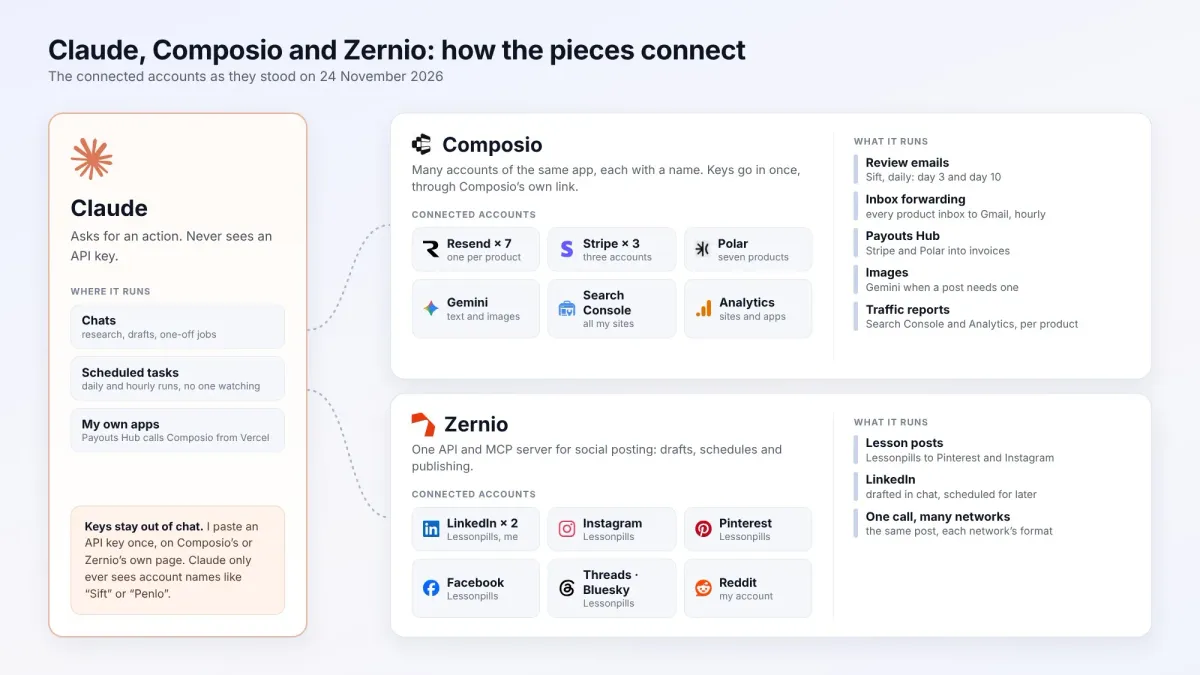
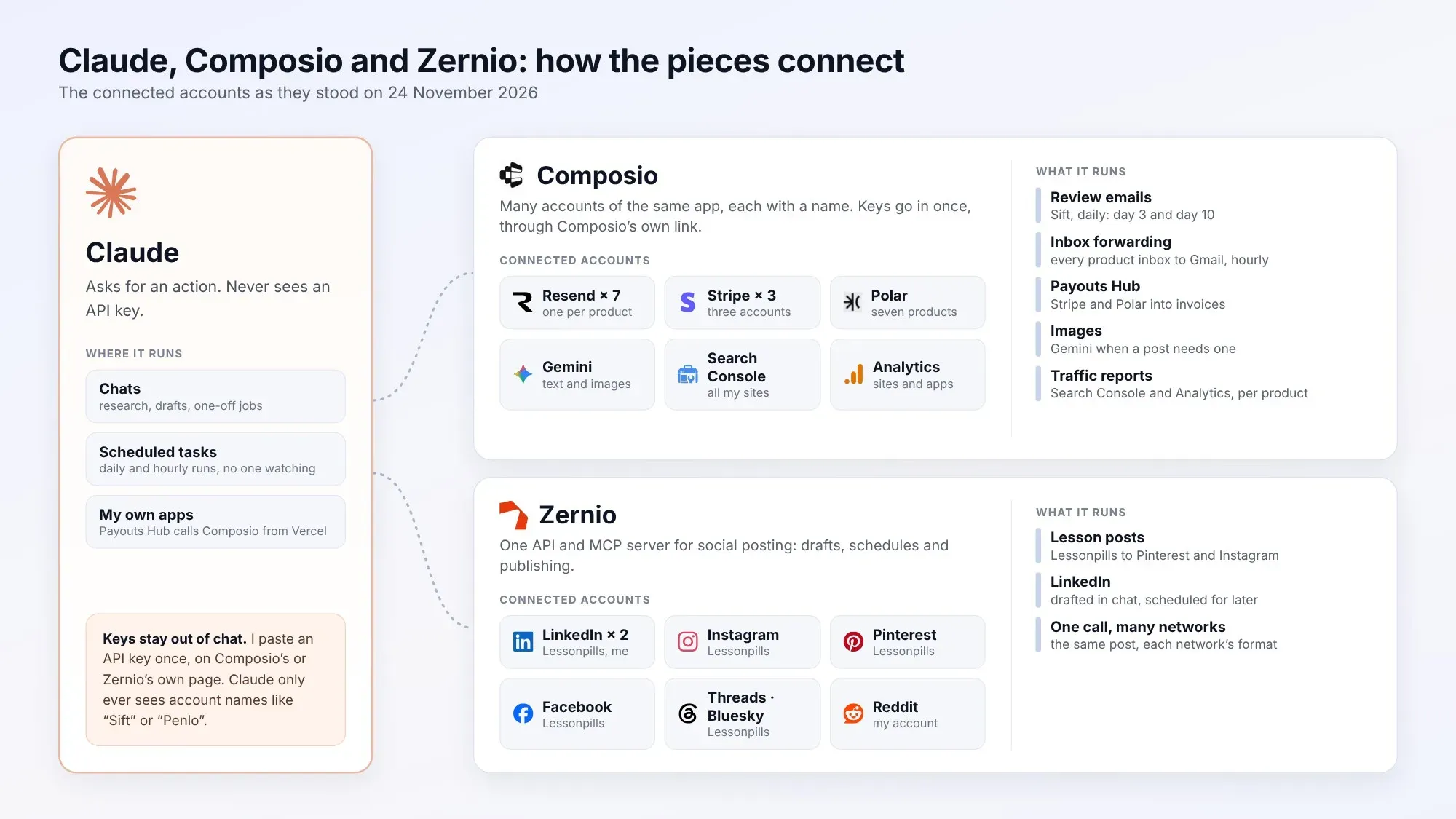
Seven Resend teams, three Stripe accounts, Polar and Gemini sit behind Composio; my social accounts sit behind Zernio. Here's why the plumbing matters when an AI does a lot of the work, and why Claude never sees a key.

Michal Wlosik
· 3 min read
Part of how I market my apps as a one-person team.
Most of the marketing work I describe in this series happens because Claude can reach my accounts: email, payments, social media. How it reaches them is the unglamorous part, and it took me a while to get right. Two services do most of it.
Composio: many accounts of the same app
The problem Composio solves for me is specific. I don't have one Resend account, I have seven: one team per product, each with its own domain and keys. I don't have one Stripe account either, I have three. Most connectors assume one account per app. When an AI has to send Sift's email from Sift's domain and Penlo's from Penlo's, that assumption breaks.
Composio lets me connect the same app many times and give each connection a name: "Sift", "Penlo", "Sidecue MOR". Claude then asks for "send this through the Sift account" and Composio does the rest. Here's what's connected today:
- Resend × 7: Bruno, Bookbeam, Cubbie, Sift, Ectobuilder, Sidecue and Penlo, each with a verified domain.
- Stripe × 3: Lessonpills, Sidecue on Stripe's merchant-of-record mode, and an older Sidecue account.
- Polar, which covers all seven of my Polar organisations.
- Gemini, for text and image generation.
- Google Search Console and Google Analytics, for the real traffic numbers behind every product site.
Why not just paste keys into Claude?
Because I don't want keys in chats, and Claude won't type them into pages for me anyway. With Composio, I open its connection link once, paste the key on Composio's own page, and that's the last time the key appears anywhere I work. Claude only ever sees account names.
The same connection, three places
The part that surprised me most: one connection works everywhere.
- In a chat, when I ask Claude to check a payout or send a test email.
- In scheduled tasks that run with nobody watching: the daily Sift review emails and the hourly job that forwards every product inbox to my Gmail.
- In my own apps. Payouts Hub, the small app that turns my Stripe and Polar payouts into invoices, calls Composio's MCP endpoint from Vercel with the same connections. I didn't have to set up Stripe or Polar keys in the app at all.
When I don't use it
When a product calls one API with one key that the user supplies, Composio adds nothing. Bouncer, my cookie-banner extension, calls Gemini directly from the browser with the user's own key. Composio is for my accounts, used by my automations.
Zernio: one call, many social networks
Social media is the channel I'm worst at keeping up with, mostly because every network wants its own app, login and format. Zernio is a single API, with an MCP server, for posting across networks. Claude can draft a post, pick the accounts and either publish it or schedule it for later.
What's connected: Lessonpills on LinkedIn, Instagram, Facebook, Pinterest, Threads and Bluesky, plus my own LinkedIn and Reddit. What it runs:
- Lessonpills lesson posts to Pinterest and Instagram, with each network's format handled for me.
- LinkedIn posts, drafted in a chat, edited by me, then scheduled a few days apart instead of all at once.
- Drafts first. Anything new sits as a draft in Zernio until I've read it.
I'd previously built this with Notion and Make, and the publishing part needed a separate branch for every network. With Zernio, it's one call with a list of accounts. Adding a network means connecting an account, not rebuilding a workflow.
What I'd tell another builder
- Decide early how your AI will reach your accounts. "Paste the key into the chat" doesn't scale and isn't safe.
- Name your connections after products, not services. "Sift" is clearer to you and to the AI than "resend_2".
- Keep the decisions in code or in a database, and let the AI do the delivery. My scheduled tasks can't choose who gets an email; they can only send what's due.
Written by
Builder, product marketer and AI enthusiast. I ship my own apps, like Sift (siftphotos.pro), Penlo (penlo.app), Ectobuilder (ectobuilder.com) and Cubbie (cubbie.pro), and write about building and marketing them with AI.
Keep reading
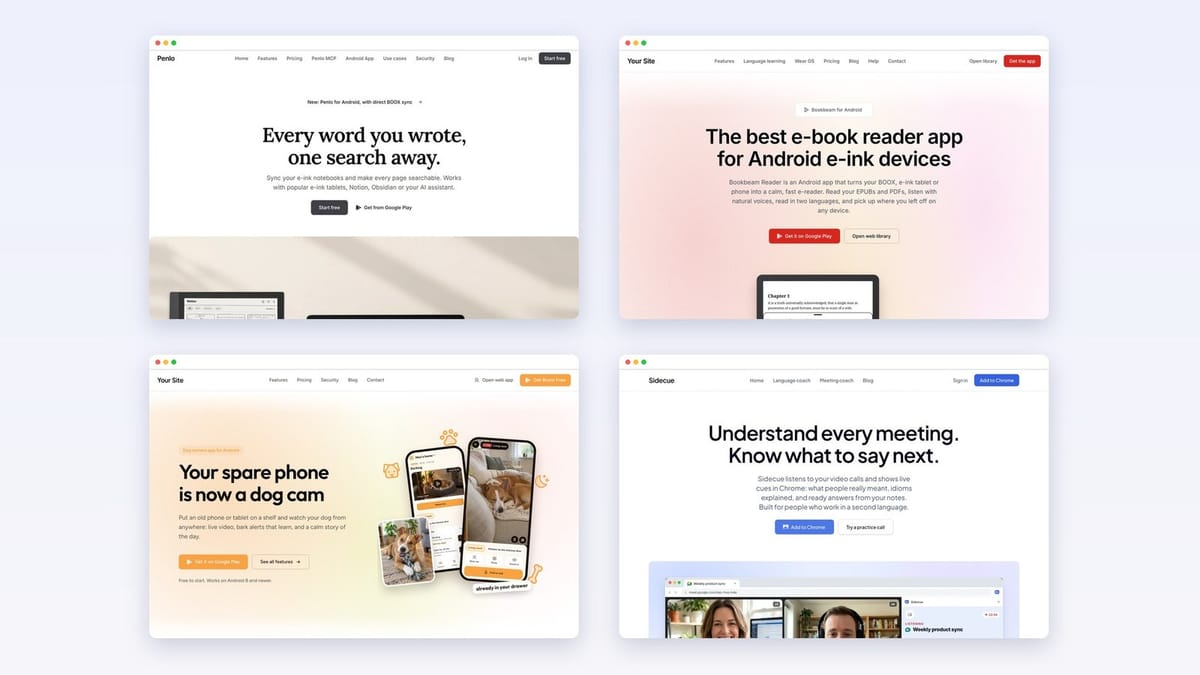
How I market my apps as a one-person team, with Claude as my marketing department
I build and market close to ten apps on my own. Here is the whole system: real numbers from Search Console, research in Ahrefs, product sites in Ectobuilder, store listings, email in Resend, payments in Polar, and Claude wiring it together.
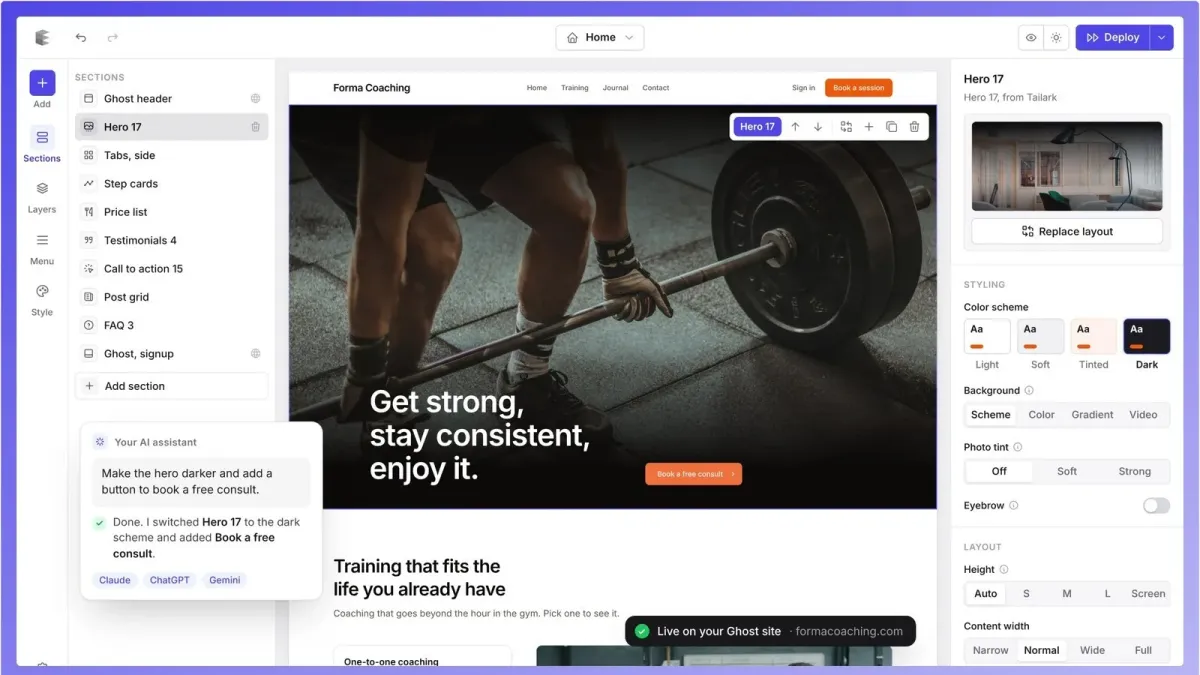
How I launch a product site and blog in an afternoon with Ectobuilder
Every product I ship gets its own site and blog on Ghost, designed in Ectobuilder. Here's the setup, and how Claude edits, screenshots and writes for those sites through Ectobuilder's connector.
How I use Search Console, Ahrefs and Claude to plan content for Google and AI search
Claude reads Search Console for what's actually working and Ahrefs for what's worth writing next. Here's the loop I use to plan content for Google and for AI assistants, with real data from Penlo.