I turned the old phone in your drawer into a dog camera. Meet Bruno
Bruno turns a spare Android phone or tablet into a dog camera: live video, a Show me button that puts your face on the screen at home, bark alerts that learn, and a timeline of your dog's day.

Michal Wlosik
· 6 min read
A dedicated dog camera like Furbo costs around $200, and most of them want a monthly plan on top. Meanwhile, almost everyone I know has an old Android phone in a drawer with a perfectly good camera, a microphone, a speaker and Wi-Fi.
So I built Bruno, an app that turns that spare phone or tablet into a dog camera. You put it on a stand facing the room and plug it in. Then you can watch your dog live from anywhere, get an alert when they bark, and see the story of their day on one calm timeline.

Bruno: Dog Camera
Turn a spare Android phone or tablet into a dog camera. Free to start.
Here's what it does.
Two minutes, no new hardware
Install Bruno on the spare phone and choose Use this phone as the camera. Then type the 6-digit code it shows into Bruno on your own phone, and that's it. You can start as a guest and save an account later, or continue with Google.
Any Android phone or tablet with Android 8 or newer works as the camera. Keep it plugged in and on an adjustable stand pointed at where your dog spends the day. Bruno dims the camera's screen to save power, and tells you if it goes offline, runs low on battery or gets hot.
Watch, talk and show your face
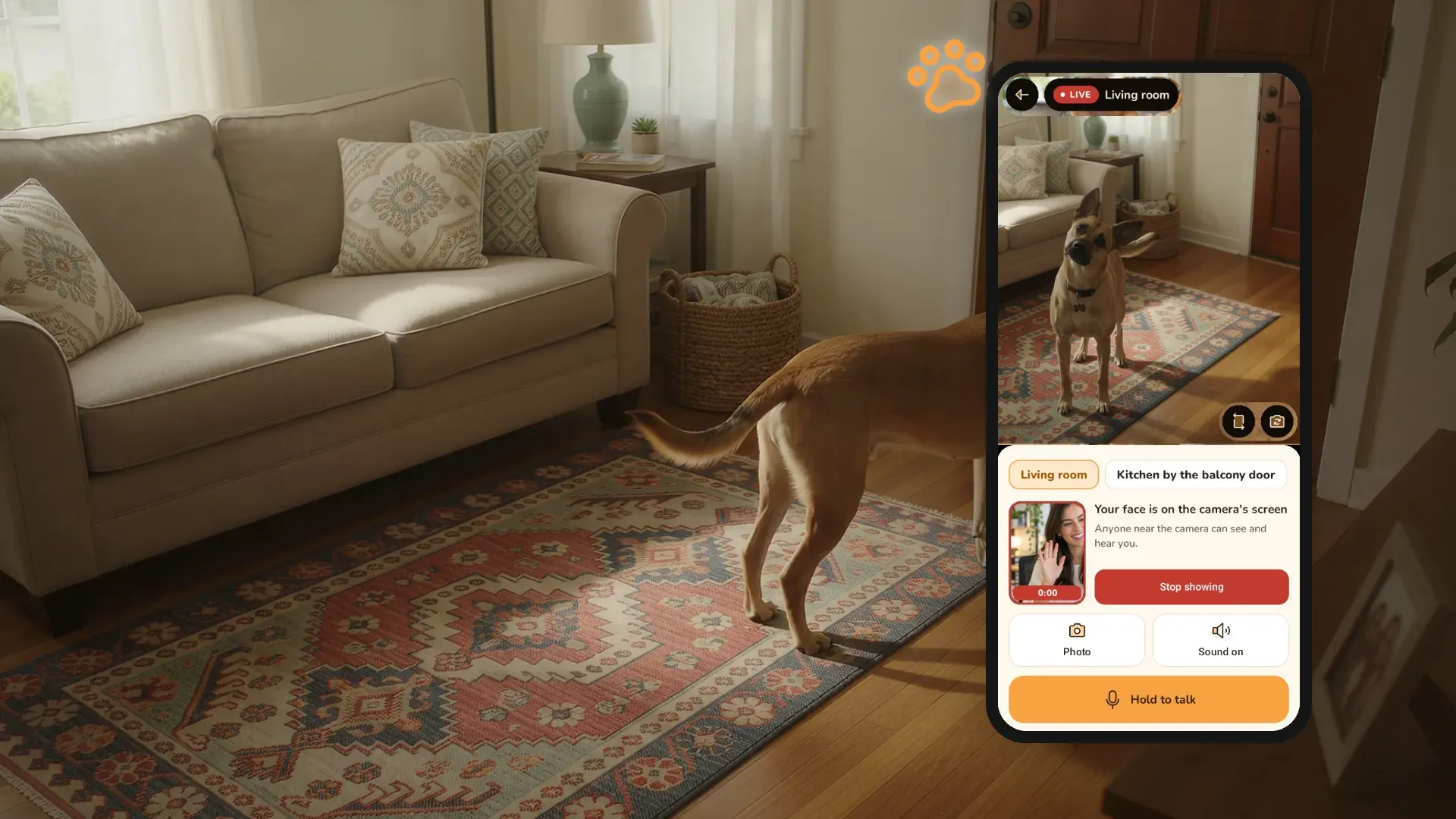
Open a camera and you're live in seconds, over Wi-Fi or mobile data. Hold the button to talk, take a photo, switch between the front and back camera, or turn your phone sideways for full screen.
My favourite feature is Show me. Tap it and your face appears on the camera's screen at home, like a video call, so your dog hears a familiar voice and sees a familiar face instead of an empty flat.
When the room gets dark, the camera switches on its own to a slower, brighter picture and cleans up the grain. If it's too dark to see anything, Bruno says so instead of showing you a black screen. You can also give each camera a soft night light.
Alerts that learn your dog
A dog camera that buzzes every time the TV gets loud is one you mute on day two. So Bruno runs a sound model on the camera phone itself that listens for barking, whining, howling and growling. It names a sound only when it's sure and it doesn't sound like voices or TV. Everything else is filed quietly as "Sound".
Real barks get an alert with a photo and a short clip. If Bruno gets one wrong, tap Not the dog? and that camera learns what to ignore. You can also set the sensitivity for each camera, the time between alerts and quiet hours, or let Bruno follow your phone's Do Not Disturb.
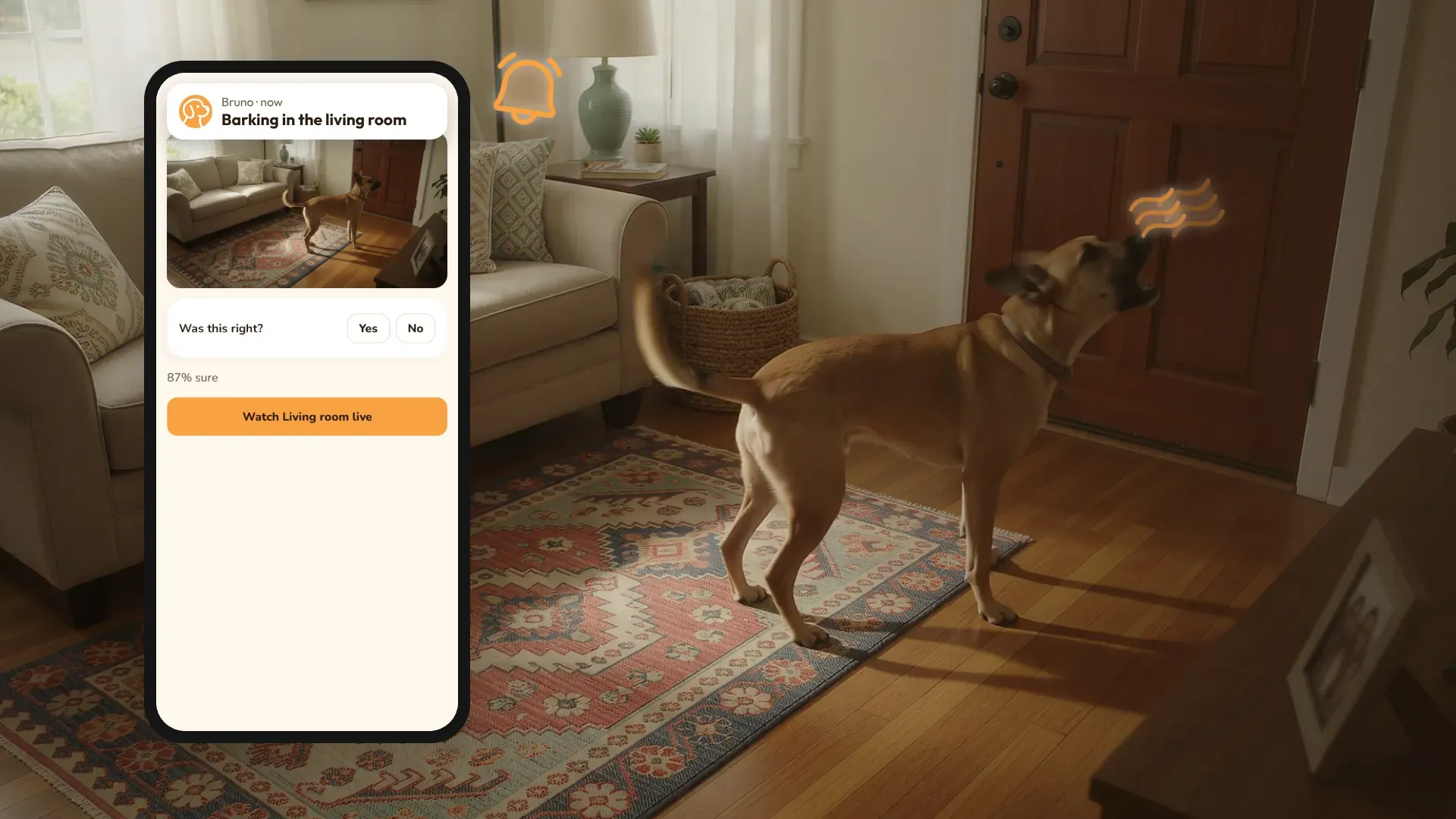
It also sends good news. Bruno tells you when your dog has been calm for 20 minutes, so you can stop checking and get on with your day.
The story of your dog's day
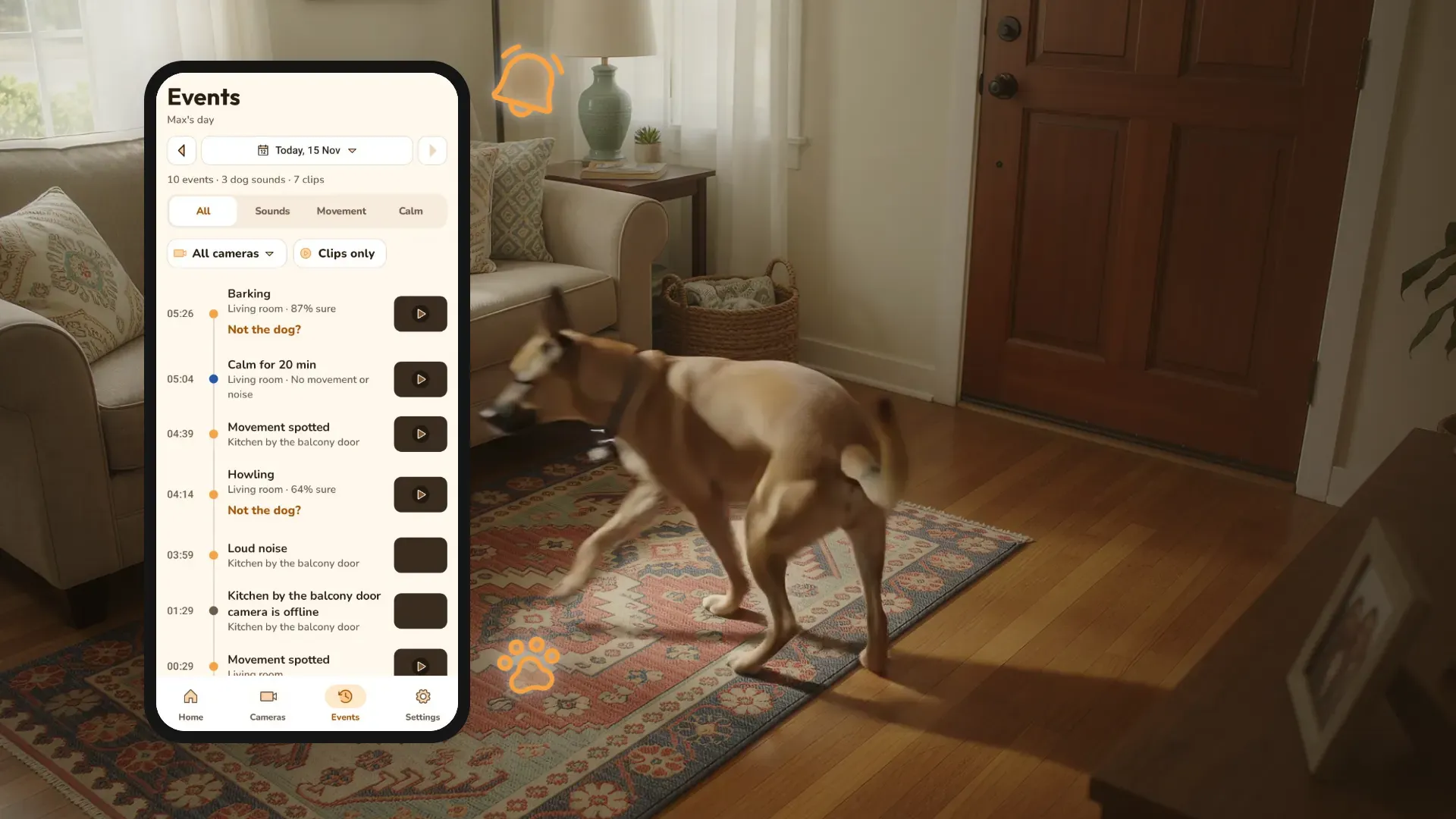
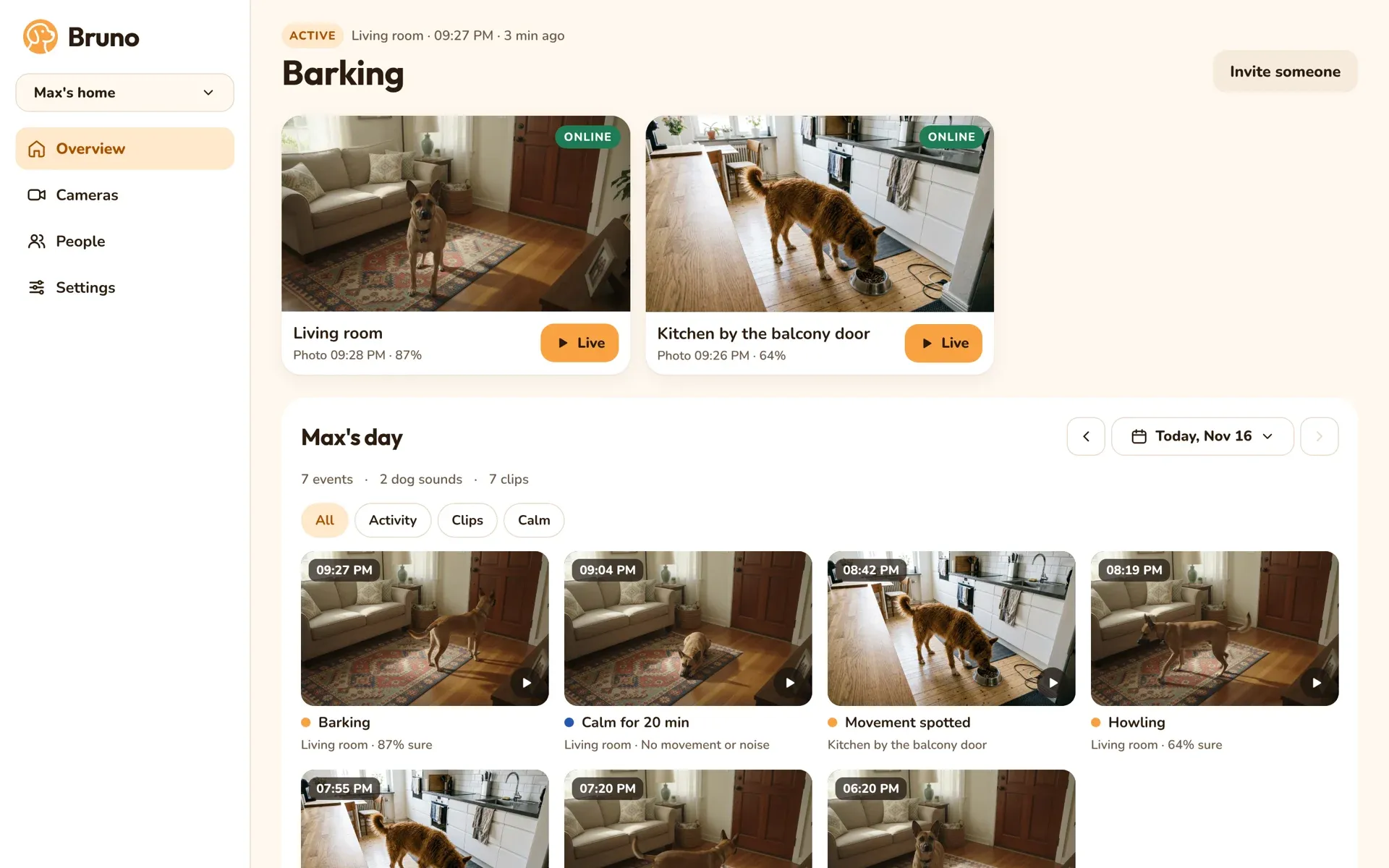
Every bark, nap and zoomie lands on one timeline, with a short clip for each moment: 5 seconds before and 8 after. Filter by sounds, movement or calm, pick a camera, jump to any day, and see at a glance when your dog settled after you left.
Share it with the whole family
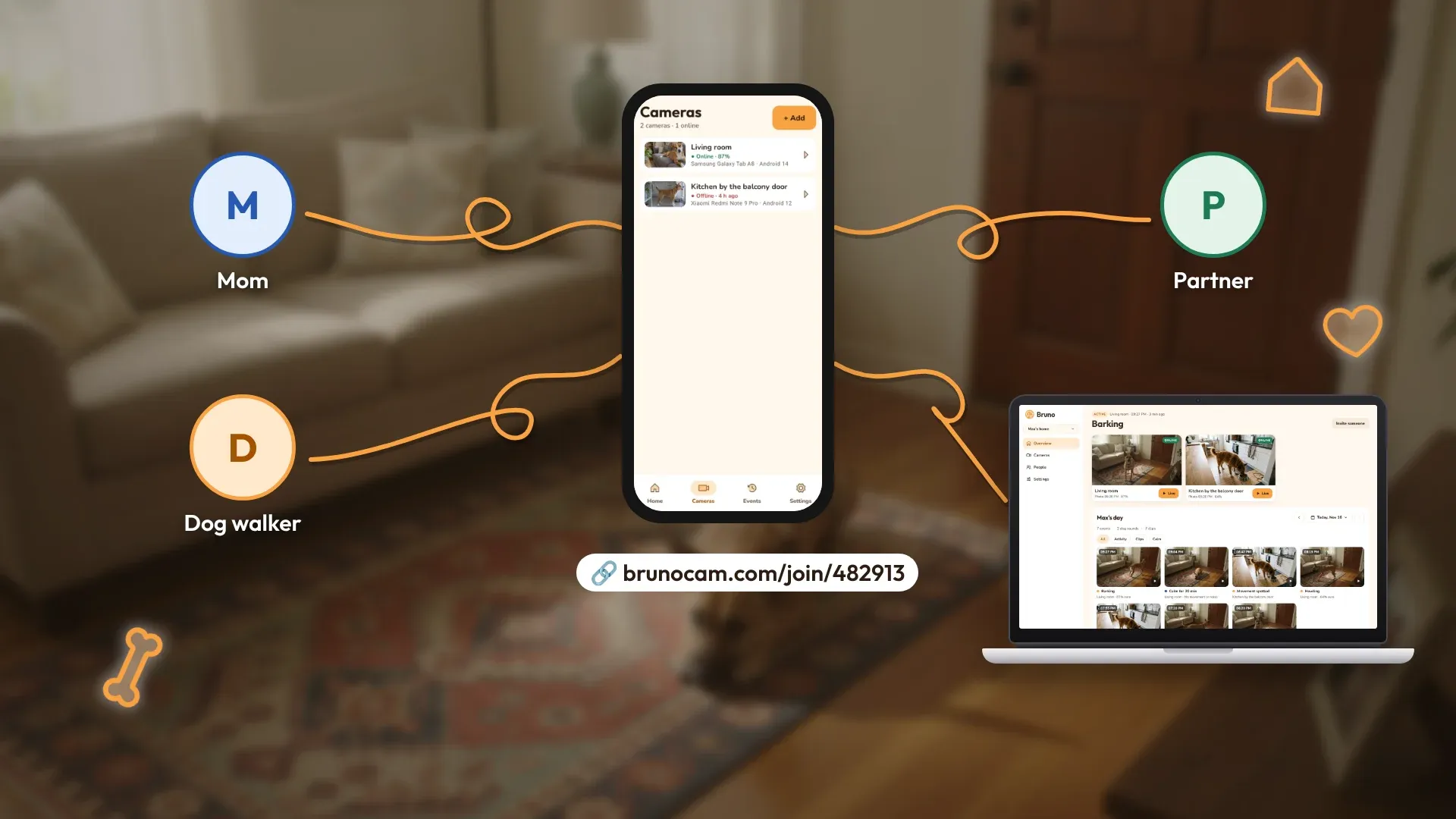
Invite your partner, the kids, your mum or the dog walker with a link. Everyone sees the same cameras and the same timeline. Nobody needs the app to watch, either: app.brunocam.com works in any browser, on an iPhone or a work laptop, with live view, the timeline and clips.
Private by design
A camera in your living room has to be trustworthy, so I built Bruno so that nobody but your home can watch, including me:
- I can't see your live video. The camera and your phone connect directly over WebRTC and encrypt everything they send. The servers only help them find each other, and if your network needs a relay, it passes along encrypted data it can't open. Live video is never recorded.
- Barks are recognised on the camera. Sound isn't streamed anywhere to be analysed.
- Clips delete themselves. Photos and clips are stored privately in the EU (Ireland), and they're deleted after 3 days on Free or 30 days on Premium. You can turn off sound in clips for any camera.
- Nobody looks in unnoticed. The camera phone shows how many people are watching.
- No ads, no data sales.
The details are on the security page.
Give your spare phone a job
Set up Bruno in two minutes and see what your dog gets up to while you’re out.
How I built it
Bruno went from the first build to Google Play in four days, between 13 and 16 November. The changelog tells the story day by day: live video, two-way talk and bark alerts on day one, clips and a full redesign on day two, Premium, Google sign-in and fewer false barks on day three, and the public release with low-light mode on day four.
It's three pieces on one Supabase backend: the Android app, which is both the camera and the viewer, a Next.js web app, and the marketing site on Ghost. As with my other apps, Claude was my pair programmer for most of the code. My job was deciding what Bruno should do, and testing every change on real phones and tablets. The app speaks English, Polish, German, Spanish and French from day one.
I also made the launch video with AI, and it was the most fun part. The dog and the living room are clips generated with Gemini, the voice-over, music and sound effects come from ElevenLabs, and the real Bruno screens are animated on top in Remotion, a React framework for video.
Free and Premium
Free
- 1 camera
- Live view, talking and Show me
- Bark and sound alerts
- 3 days of clips
- You plus 1 person
Premium: $5.99 a month or $39.99 a year
- Unlimited cameras
- 30 days of clips
- Unlimited family and dog walkers
- A 7-day free trial on the yearly plan
Try it
If you have a dog and an old Android phone, give the phone a job. Bruno is free on Google Play, and you can read more at brunocam.com. I'd love to hear what your dog gets up to, and what Bruno should do next. Write to me on LinkedIn or through the website.
Your spare phone is now a dog cam
Bruno is free on Google Play. Watch from the app or any browser.
Written by
Builder, product marketer and AI enthusiast. I ship my own apps, like Sift (siftphotos.pro), Penlo (penlo.app), Ectobuilder (ectobuilder.com) and Cubbie (cubbie.pro), and write about building and marketing them with AI.
Keep reading
I built the e-book reader app I'd always wanted. Here's what it does
Bookbeam is an Android e-book reader built for e-ink first: crisp paged reading on BOOX, natural-voice read aloud with a full cast, bilingual reading, flashcards, Android Auto and a Wear OS app.
I built Sift to free up Google storage, with AI that never leaves your computer
Sift is a Chrome extension that finds duplicates, big videos and junk in Google Photos, shows how much space each clean-up frees, and uses Chrome's on-device AI so your photos never leave your computer.
I gave claude.ai the sidebar it was missing. Meet Cubbie
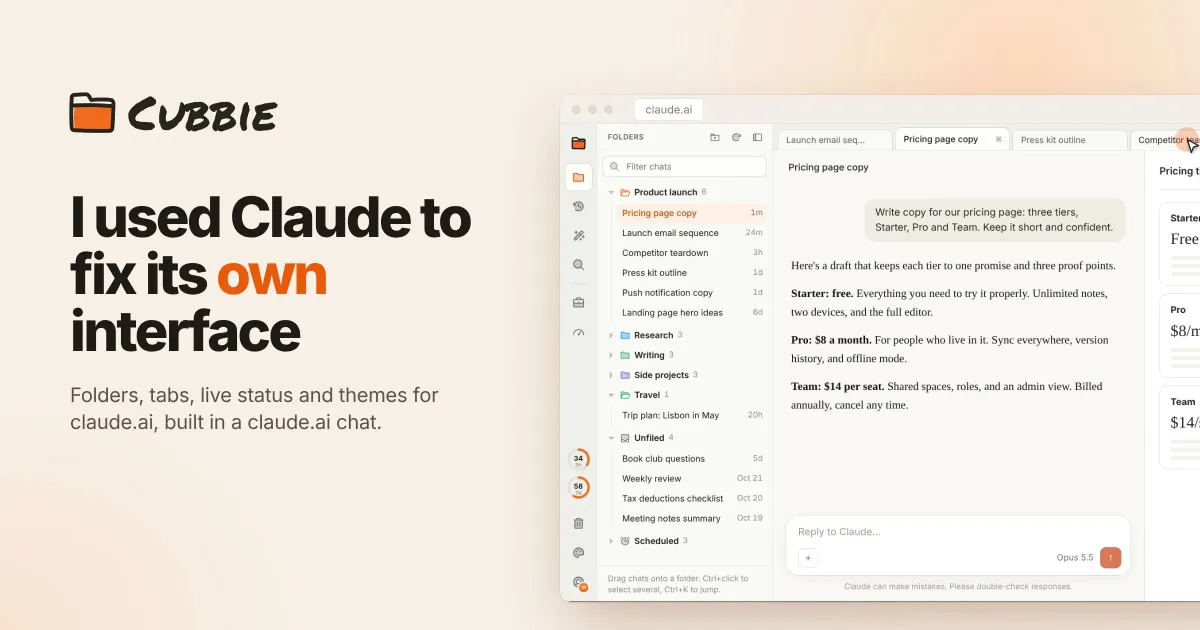
Cubbie is a free Chrome extension that gives claude.ai folders, tabs, a Ctrl K switcher, a glow when a reply is being written, and themes for the whole page.