

If you publish on Ghost, you already know the trade-off you signed up for. Ghost gets out of your way, runs fast, looks clean, and refuses to clutter the admin with the kind of bloated feature lists that turn WordPress into a configuration nightmare.

Download Postmancer from Chrome Web Store
That's exactly why I picked it. And also exactly why I built Postmancer, a Chrome extension that adds the productivity layer Ghost intentionally leaves out, without compromising what makes Ghost good in the first place.
The problem I kept running into
Running a Ghost site in 2026 means dealing with a few realities that the admin doesn't help you with:
- AI tools are recommending your site in conversations, and often linking to URLs that don't exist. You never see those visitors. They land on a 404 and leave.
- Drafting blog posts is fragmented. You write in ChatGPT, paste into Ghost, fix the formatting, hunt for a feature image, write the meta description, set up internal links. Five tools for one post.
- Managing content at scale is painful. Ghost's post list is minimal by design. If you want to bulk-update tags across 80 posts, you click through each one.
- Audio versions of posts require external tools, manual uploads, and embedding workarounds.
- Even basic things like redirects require editing a JSON file via Ghost's command-line tooling. No GUI.
These aren't bugs in Ghost. They're choices Ghost made, and most of them are correct for what Ghost is trying to be. But for someone running a serious blog, they add up to a lot of context switching.
So I built Postmancer to fix them. All inside Ghost Admin. No new tabs.
What Postmancer actually does
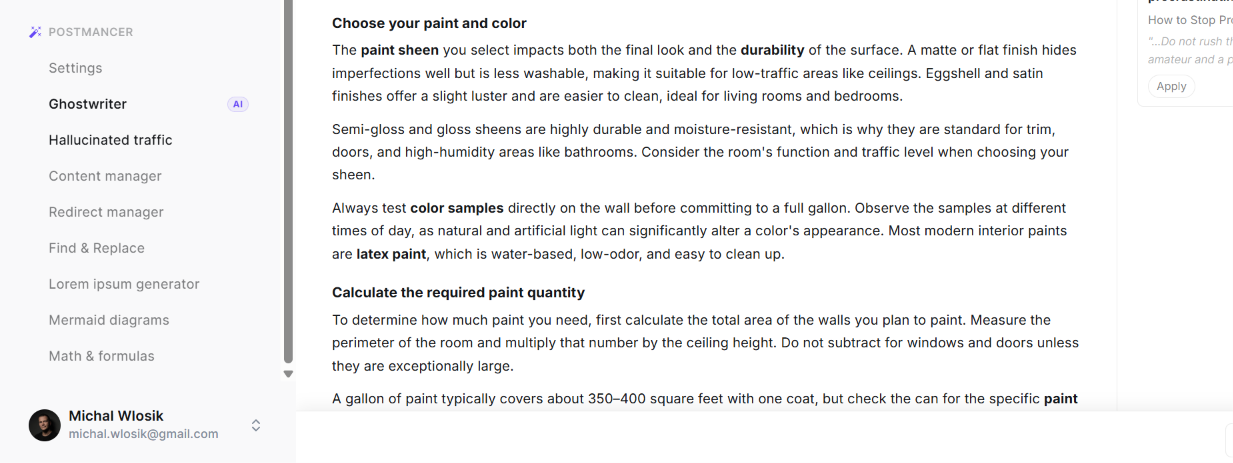
Postmancer adds a sidebar to Ghost Admin with seven tools. Three of them use AI. Four of them don't. Every one of them does something Ghost can't do on its own.
Here are the features that took the most time to get right, in order of how much they've changed my workflow.
Download Postmancer from Chrome Web Store
1. Hallucinated traffic tracking, the feature no other tool has
This is the one I'm most proud of, because as far as I can tell, nobody else is doing it.
When ChatGPT, Perplexity, Gemini or Claude recommends your site in a conversation, the link they generate is often wrong. The model knows your domain. It knows what you write about. It guesses at a URL slug. And it confidently sends a real human there.
Then that human hits a 404 and bounces. You never know they came.
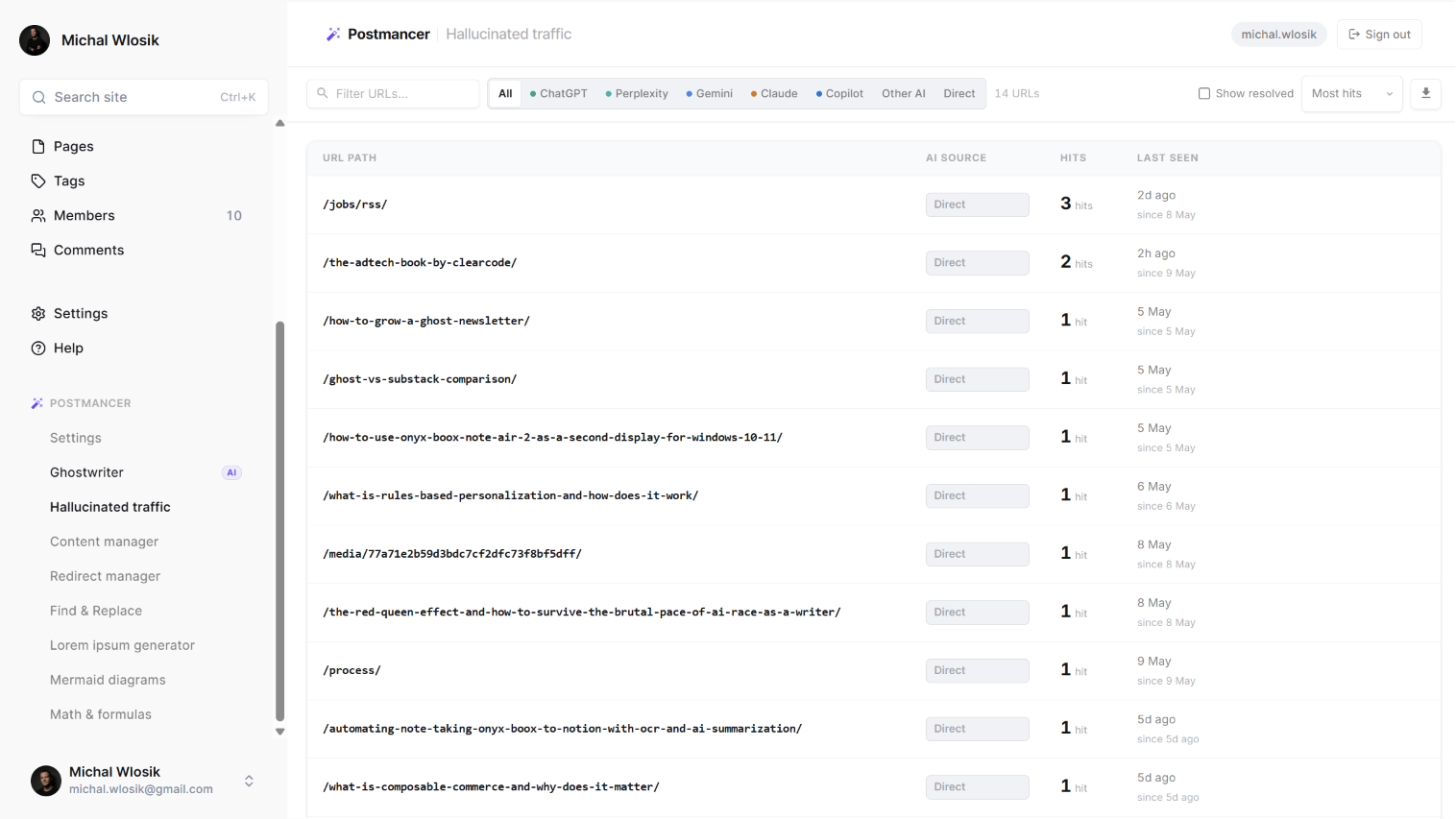
Postmancer tracks every one of those visits. You paste a one-line snippet into Ghost's Code Injection footer once, and it silently watches for 404 hits. Each entry shows:
- The URL that was hallucinated
- Which AI tool referred the visitor (ChatGPT, Perplexity, Gemini, Claude, Copilot, or direct)
- How many times it's been visited
- When it was first and last seen
That data is gold. A URL hit once is noise. A URL hit forty times is a content brief, AI is telling you exactly what your audience is asking about. You can write the post, set up a redirect to a similar existing piece, or dismiss it.
It's the clearest signal I've ever had for what to write next.
2. Ghostwriter, AI writing that actually understands Ghost
Most AI writing tools dump a wall of text in a chat window. You then have to copy it, paste it into Ghost, fix the headings, re-format the lists, find an image, write meta tags, and add internal links. The "AI saves you time" promise quietly evaporates somewhere in step three.
Ghostwriter does the whole thing inside Ghost Admin. Three modes: from brief, from YouTube and from video.
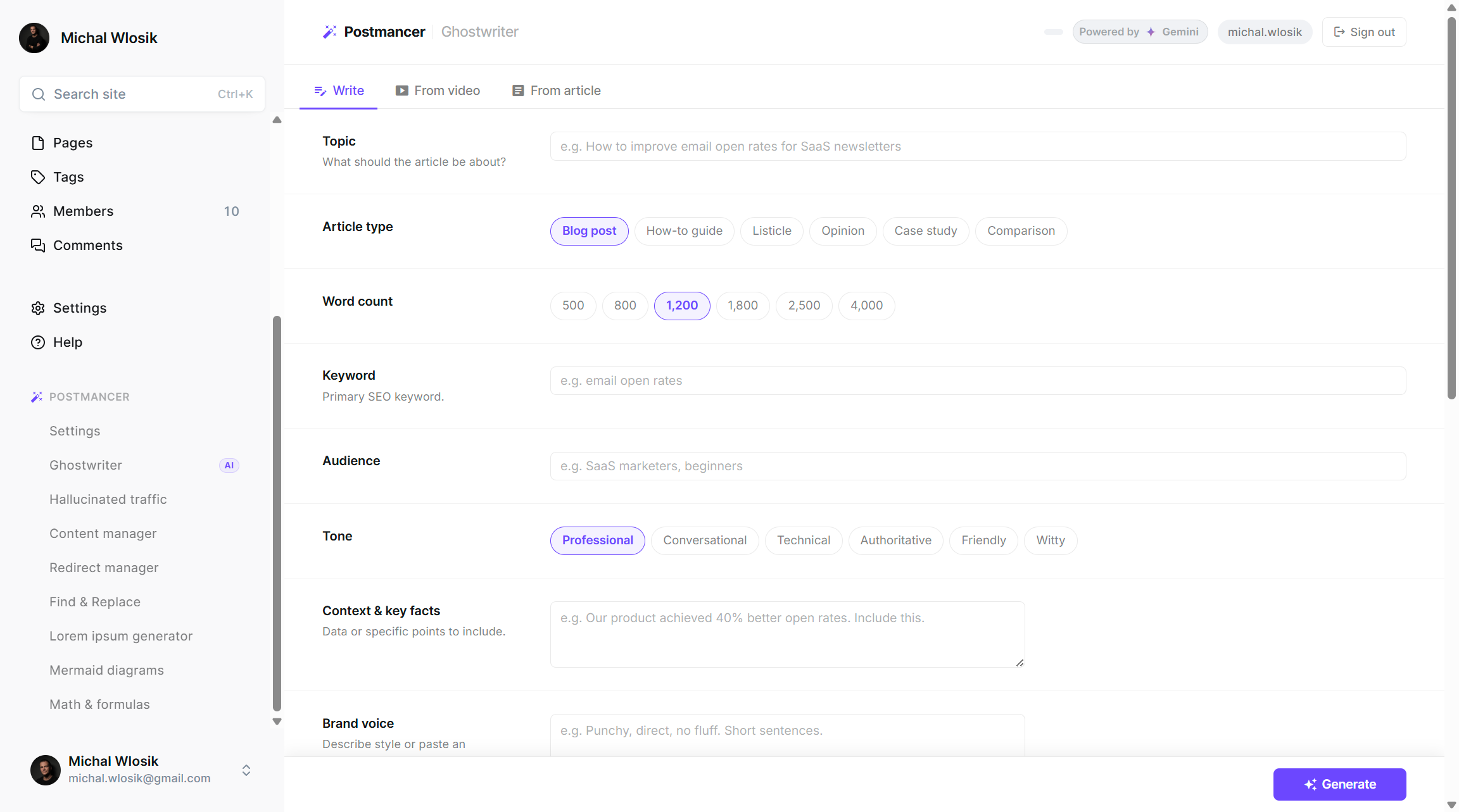
- Write from a brief. You give it a topic, article type (blog post, how-to, listicle, comparison, etc.), word count, target keyword, audience, and tone. Add your brand voice, key facts to include, structural options like FAQ sections, key takeaways, citations. It builds an outline, writes every section in full, fetches a feature image from Pixabay and uploads it to your Ghost media library, suggests internal links from your existing posts, and lands the formatted draft directly in Ghost's editor.
- Write from a YouTube video. Paste any YouTube URL. Ghostwriter pulls the transcript and transforms it into a full original article, not a transcription, an article. Anyone publishing video content who's wanted to repurpose it without spending an hour on it will get this immediately.
- Write from an article. Paste any publicly accessible article URL. Ghostwriter reads it, understands it, and writes your own original take. Same brand voice, same structural options. Useful for commentary, response posts, and following up on something you read.
Download Postmancer from Chrome Web Store
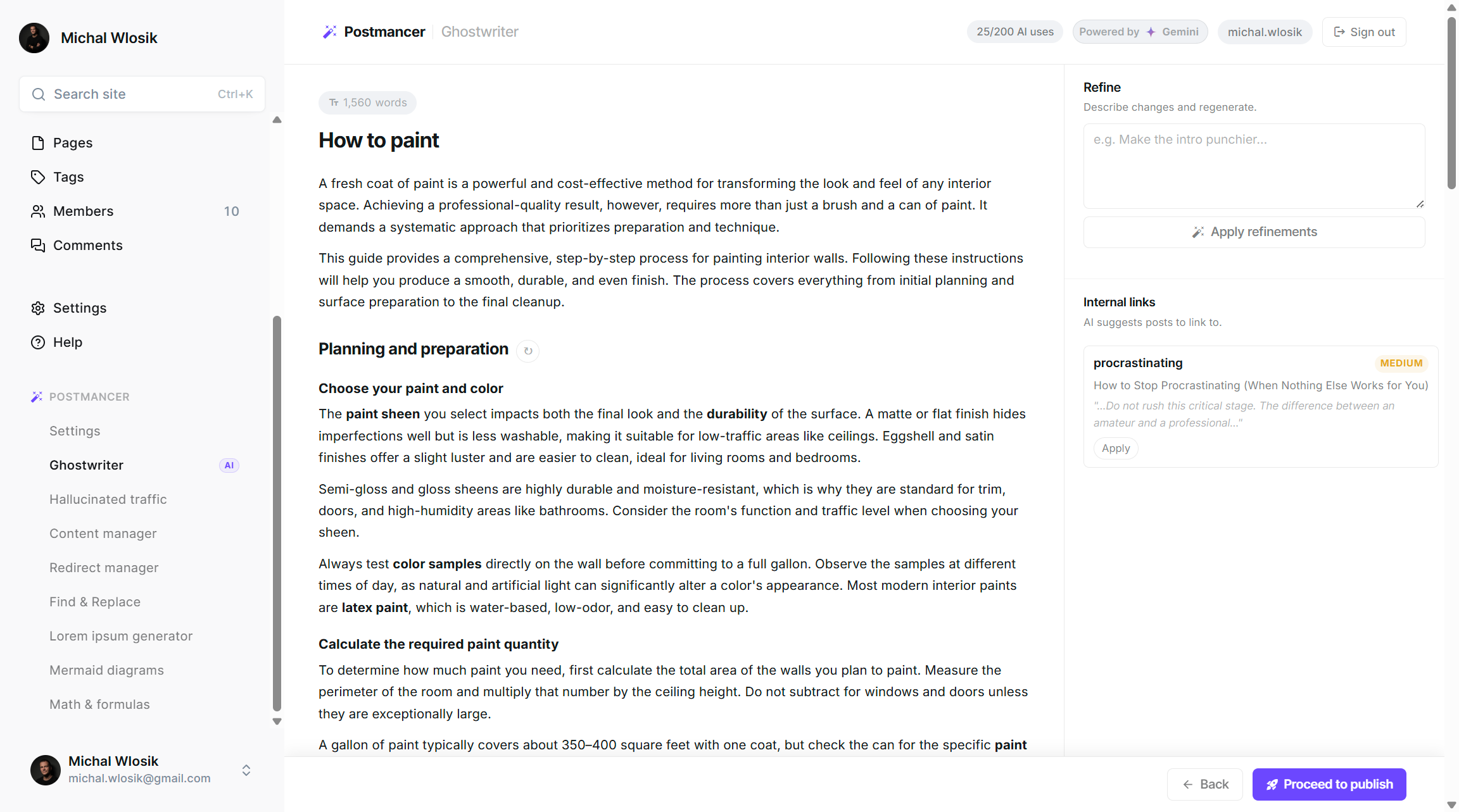
There's a review screen too. Split view with the draft on the left and tools on the right. Refine specific sections by describing what you want changed. Apply AI-suggested internal links. Then publish, draft or live, to Ghost.
3. Narrate, text to audio, powered by ElevenLabs
Not everyone reads. Some of your audience commutes, walks, or simply prefers to listen.
Narrate converts any Ghost post into a professional audio file with one click, using ElevenLabs' most recent multilingual models. You pick a voice, click generate, and an audio player gets embedded directly into your post.
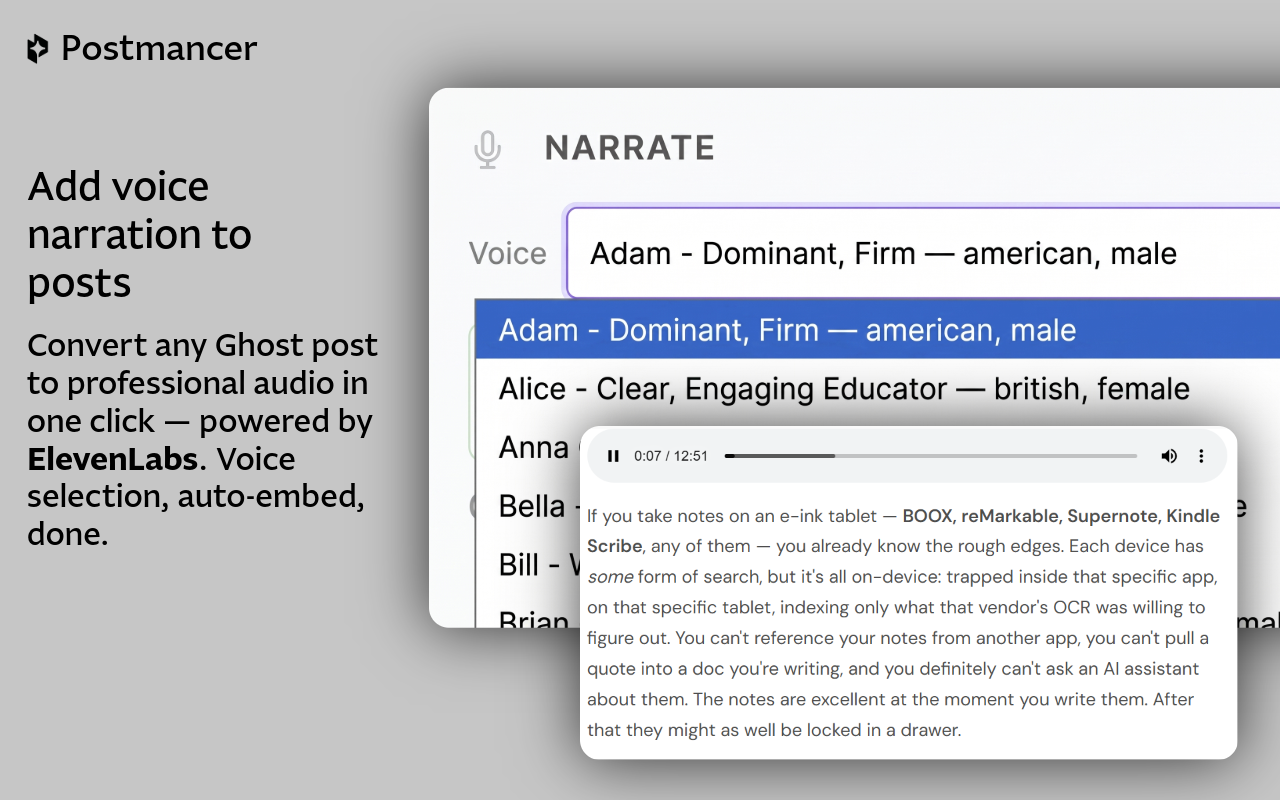
No recording setup. No editing software. No third-party dashboard to log into. No manual upload to your media library. It all happens inside Ghost.
This took me longer than expected to ship because I wanted the voice quality to be genuinely good, not the robotic TTS most "audio post" plugins offer. ElevenLabs' voices are the closest thing to a real narrator I've found, and the integration handles language detection automatically.
Download Postmancer from Chrome Web Store
4. Content Manager, the post list Ghost should have shipped
Ghost's post list is functional but minimal. Postmancer's Content Manager turns it into a proper editorial interface.
- Search by keyword across titles, optionally extending into post content
- Filter by status, tag, and author simultaneously
- Sort by date, title, or recent updates
- Select multiple posts and apply bulk changes, status, visibility (public/members/paid), tags, author, or delete
- Export filtered lists as CSV, selected posts as HTML or Lexical JSON
- Import HTML or Markdown files as new Ghost posts
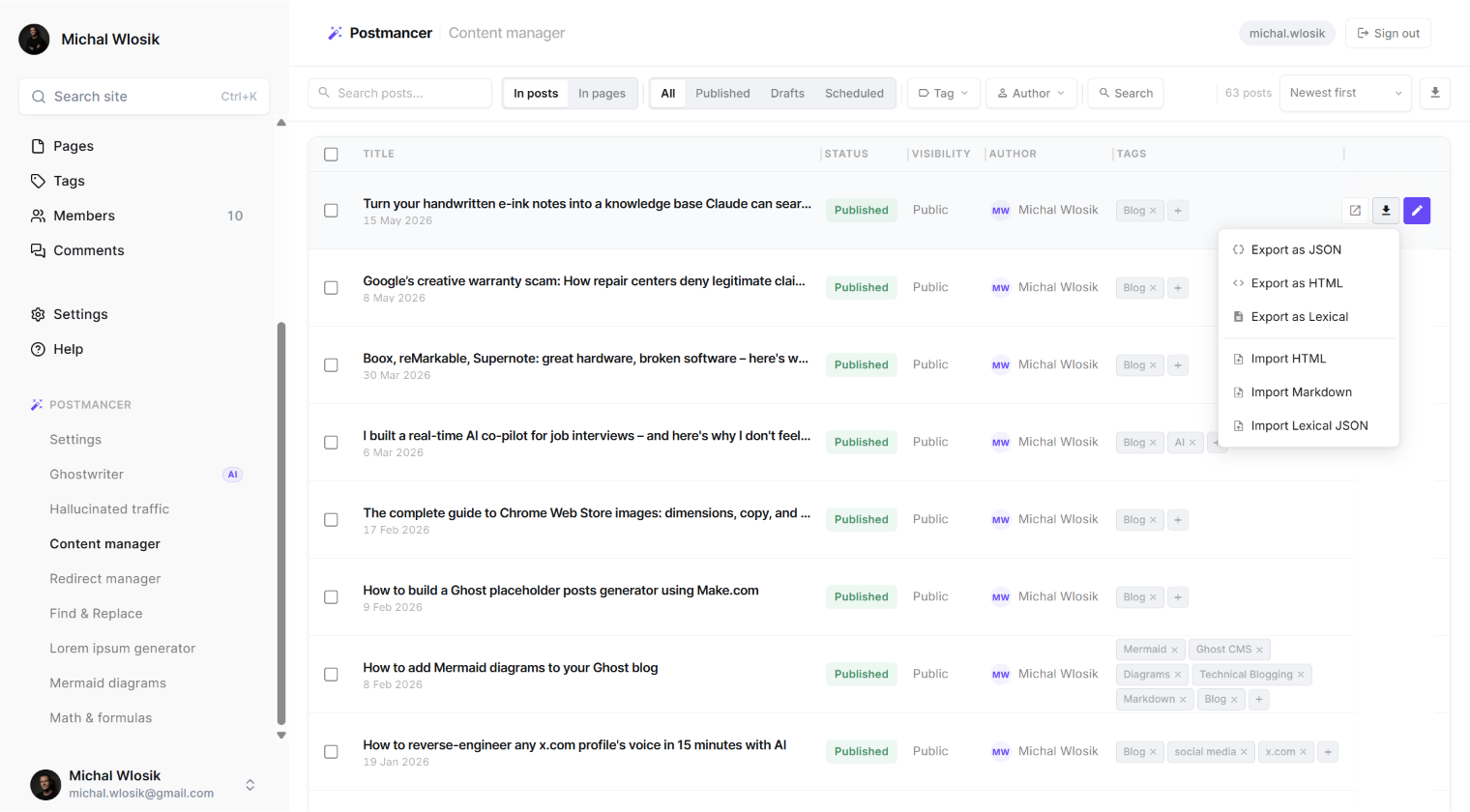
Tasks that used to take an hour of clicking now take seconds.
5. Redirect Manager, finally a UI
If you've ever needed to add a redirect in Ghost, you know the pain: edit a JSON file, upload it via the CLI, hope you got the syntax right. There's no admin UI for it.
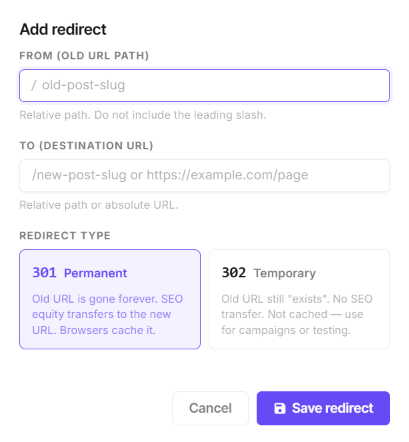
Postmancer's Redirect Manager gives you one. Add a from and to path, click save, done. View existing redirects in a list. Delete with one click. It's the kind of feature that should have shipped with Ghost five years ago.
6. The rest, Find & Replace, Mermaid, Math, Lorem Ipsum
Smaller tools but each one solves a real problem:
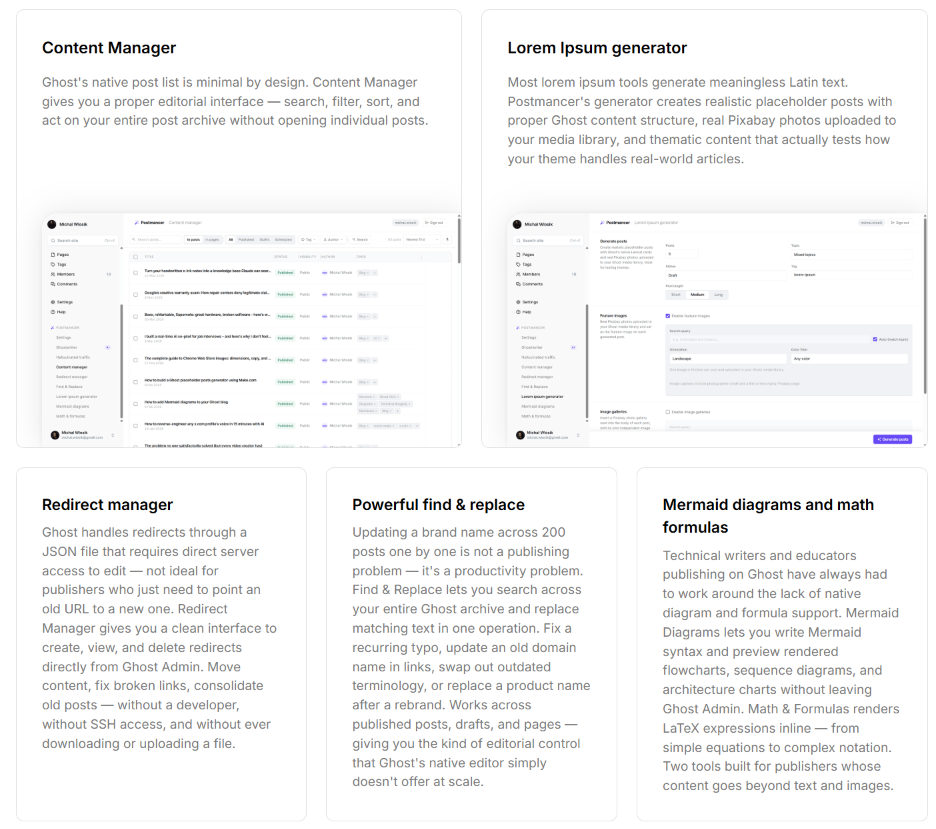
- Find & Replace lets you search and replace text across your entire Ghost archive in one operation. Update a brand name across 200 posts in seconds.
- Mermaid Diagrams lets you write Mermaid syntax and preview rendered flowcharts inside Ghost. For technical bloggers, finally.
- Math & Formulas renders LaTeX expressions inline.
- Lorem Ipsum Generator creates realistic placeholder posts with real Pixabay photos uploaded to your media library, for testing themes without writing dummy content.
Download Postmancer from Chrome Web Store
How it actually works
Postmancer is a Chrome extension. You install it, click the icon in the toolbar, and enter:
- Your Ghost site URL
- Your Ghost Admin API key (Ghost Admin → Settings → Integrations → Add custom integration → copy the Admin API key)
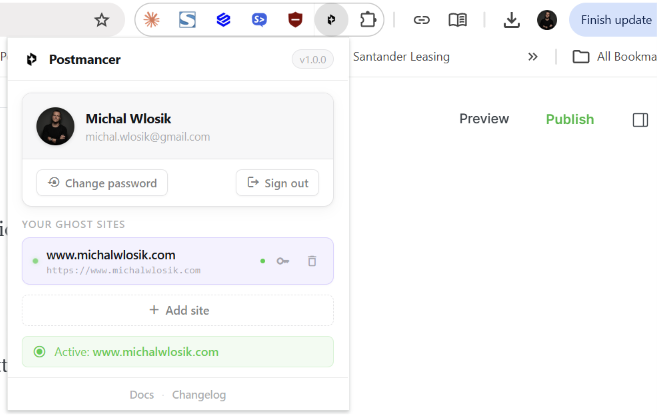
Your credentials are stored locally in your browser using Chrome's secure storage. They never touch Postmancer's servers. The extension communicates with Ghost directly via the Admin API.
The sidebar appears inside Ghost Admin immediately after connecting. Every tool is available from there.
Works with both self-hosted Ghost and Ghost(Pro). If you're on Ghost(Pro), connect using your .ghost.io admin URL rather than your custom domain, that's a Ghost API requirement, not a Postmancer one.
What this costs
Postmancer is free to install and most features are unlimited on the free plan:
- AI Traffic tracking, unlimited
- Content Manager, unlimited
- Redirect Manager, unlimited
- Find & Replace, unlimited
- All other tools, unlimited
The AI-powered features (Ghostwriter and Narrate) consume credits. Free plan includes 20 credits per month, enough to test both. Pro is $9/month for 200 credits, which covers about 20 Ghostwriter runs or 13 Narrate runs per month.
One Ghostwriter run costs 10 credits. One Narrate costs 15 credits. AI gets paid actual money to Google (Gemini) and ElevenLabs, so this is the only thing that needs to cost anything.
| Feature | Free | Pro |
|---|---|---|
| AI Credits | ||
| Monthly AI credits | 20 | 200 |
| Ghostwriter runs per month | ~2 | ~20 |
| Narrate runs per month | ~1 | ~13 |
| AI Traffic Insights | ||
| Hallucinated traffic tracker | Unlimited | Unlimited |
| AI source detection | Unlimited | Unlimited |
| Hit count and date tracking | Unlimited | Unlimited |
| Dismiss and manage entries | Unlimited | Unlimited |
| Ghostwriter | ||
| Write from a brief | 10 credits/run | 10 credits/run |
| Write from a YouTube video | 10 credits/run | 10 credits/run |
| Write from an article URL | 10 credits/run | 10 credits/run |
| Review, refine and publish | Unlimited | Unlimited |
| Internal link suggestions | Unlimited | Unlimited |
| Feature images via Pixabay | Unlimited | Unlimited |
| Narrate | ||
| Text-to-audio via ElevenLabs | 15 credits/run | 15 credits/run |
| Voice selection | Unlimited | Unlimited |
| Auto-embed in Ghost post | Unlimited | Unlimited |
| Content Manager | ||
| Search, filter and sort | Unlimited | Unlimited |
| Bulk status, visibility, tag and author changes | Unlimited | Unlimited |
| Export and import | Unlimited | Unlimited |
| All Other Tools | ||
| Redirect manager | Unlimited | Unlimited |
| Find & Replace | Unlimited | Unlimited |
| Mermaid diagrams | Unlimited | Unlimited |
| Math & formula renderer | Unlimited | Unlimited |
| Lorem ipsum generator | Unlimited | Unlimited |
| Support | ||
| Community support | ✓ | ✓ |
| Priority support | — | ✓ |
AI credits reset monthly on your billing date and are shared across Ghostwriter and Narrate.
All other tools are unlimited on both plans.
Why I built it
Honestly? Because I run a Ghost site and I got tired of switching tabs.
Every time I noticed a Ghost limitation, I'd Google for a workaround, find some abandoned npm package or a tutorial about editing JSON files, and move on. After about the fifth time, I started building.
The hallucinated traffic feature came from watching my own analytics. I kept seeing 404 hits on URLs I'd never published. Once I started classifying them by referrer, the pattern became obvious, AI tools were inventing content I'd never written. That was the moment Postmancer became more than a productivity extension.
If you publish on Ghost, especially if you're serious about it, try it. The free plan has everything you need to see if it fits your workflow.
Download Postmancer from Chrome Web Store
Postmancer is independent of and not affiliated with, authorised, sponsored, or approved by Ghost Foundation. Built by me, feedback welcome.


