

I've spent more time than I'm comfortable admitting trying to make e-ink note-taking work as a complete system – not just as a place to write things down, but as a real part of a digital workflow. What I kept running into wasn't a hardware problem. The devices have gotten genuinely good. The problem was always the software layer that sits between the device and the rest of your life.
So I did something I probably should have done earlier: I sat down and mapped out, feature by feature, exactly what each of the major e-ink tablet companion apps actually does. Boox Assistant. The reMarkable app. Supernote Partner.
The results were clarifying. And a little depressing.
 BOOX Assistant
|
 reMarkable app
|
 Supernote Partner
|
 Penlo
Penlo
|
|
|---|---|---|---|---|
| Sync | ||||
| Platforms | iOS & Android
Mobile only; no desktop app
|
iOS, Android, macOS, Windows | iOS, Android, macOS, Windows | Web (any browser)
No install required. Works on any device.
|
| Sync destinations | Onyx Cloud + Dropbox, Google Drive, OneDrive | reMarkable Cloud + Google Drive, Dropbox, OneDrive
Third-party cloud requires Connect subscription
|
Supernote Cloud + Google Drive, OneDrive, Dropbox | Dropbox, Google Drive, OneDrive
Watches any folder. Works with BOOX, reMarkable, Supernote — or any device that outputs PDFs to cloud storage.
|
| Works across device brands | BOOX devices only | reMarkable devices only | Supernote devices only | Any device
Switch hardware anytime without changing your workflow.
|
| Sync trigger | Manual or on close | Continuous background sync | Manual or on close | Real-time, webhook-based
Fires the moment a PDF lands in the watched folder.
|
| View & browse notes | View notes via QR code scan or sync | Full notebook view and organisation | Full notebook view and organisation | Dashboard with summaries, tags, and search |
| OCR & handwriting recognition | ||||
| Handwriting-to-text | On-device; up to 300 uses/day
Moderate accuracy; not processed by the companion app
|
On-device via MyScript
Good accuracy; ~30 languages; lasso-select to convert
|
On-device; real-time recognition
TXT and DOCX export; accuracy varies
|
Unlimited AI-powered OCR
Processed by Penlo on sync. Google Gemini — handles cursive, messy handwriting, and mixed languages. No daily cap.
|
| Text cleanup after OCR | — | — | — | AI post-processing
Joins broken lines, fixes spelling and grammar, normalises formatting. Each step individually toggleable.
|
| Search handwritten notes | Keyword search on device
Not available in the BOOX Assistant app
|
In-app search with Connect subscription | In-app search in real-time recognition notes | Cross-notebook full-text search
Search all OCR'd content across every notebook, from every device, in the Penlo dashboard.
|
| AI processing | ||||
| AI summaries | —
On-device AI Assistant exists on BOOX hardware, not in companion app
|
— | — | Auto-generated on every sync
2–3 sentence summary per notebook, visible on hover in the dashboard.
|
| Auto-tagging | — | — | Manual tags only | AI-suggested tags
Inferred from note content on every sync. Apply automatically or review and edit manually.
|
| Export | ||||
| PDF export | PDF (via device) | PDF, PNG, SVG | PDF (via device or Partner app) | Searchable PDF
OCR text layer embedded — Ctrl+F, select text, and copy-paste from any reader.
|
| Word / plain text export | — | — | TXT and DOCX via on-device OCR | Markdown (.md) and plain text (.txt)
Auto-written to your sync folder alongside the original PDF on every sync.
|
| Notion export | — | — | — | Native Notion push
As sub-pages or structured database entries. Updates in place on re-sync — no duplicates.
|
| Obsidian export | — | — | — | Markdown + YAML frontmatter
Title, date, tags, vault URI, aliases. Appears instantly with backlinks and graph view support.
|
| Email delivery | Manual share only | Manual share only | Manual share only | Automatic or on-demand
Deliver original PDF, searchable PDF, Markdown, or plain text to any address.
|
| Integrations & automation | ||||
| API access | — | — | — | REST API
Retrieve notebooks, OCR content, tags, and summaries programmatically.
|
| Webhooks | — | — | — | Outbound webhooks with HMAC signing
Fires on every sync. Connect to Make.com, Zapier, n8n, or any HTTP endpoint.
|
| Automation platforms | — | — | — | Make.com, Zapier, n8n
Trigger any downstream workflow the moment a notebook is processed.
|
The devices themselves
Before getting into the software, it's worth acknowledging what each device is actually good at -- because the hardware story is genuinely positive.
- Onyx Boox runs Android, which makes it uniquely flexible. You can sideload apps, connect Bluetooth keyboards, use it as a second monitor. The trade-off is a more complex interface and an ecosystem that feels less refined. The writing experience is good, latency has improved significantly across the Note series, and the ability to run full Android apps is genuinely useful.
- reMarkable is the opposite philosophy: a closed, focused device that does fewer things and does them with exceptional polish. The pen experience is exceptionally polished – the Paper Pro's latency is down to 12ms – and the device is deliberately minimal in a way that keeps you focused.
- Supernote occupies a middle ground. It's not as flexible as Boox or as polished as reMarkable, but it has features neither of them offers -- including real-time handwriting recognition that turns your writing into text as you work. The community around it is unusually engaged, and the company has a reputation for actually responding to user feedback.
All three are worth owning. All three have the same fundamental software problem.
What the companion apps actually do
Let's go category by category.
Sync
All three devices can sync to cloud storage -- Dropbox, Google Drive, OneDrive. That's the baseline. But the details matter.
- Boox Assistant is mobile-only: iOS and Android. Boox also has a Windows file transfer tool (send2boox), but it's for pushing files to the device – not for viewing or searching notes.
- The reMarkable app is more complete – iOS, Android, macOS, and Windows – but the third-party cloud integrations (Google Drive, Dropbox, OneDrive) require a Connect subscription on top of the hardware cost. The basic app gives you access to reMarkable's own cloud.
- Supernote Partner covers all platforms too: iOS, Android, macOS, Windows. Cloud sync to the major providers is included without an extra subscription.
On sync triggers: Boox and Supernote sync manually or on note close. reMarkable offers continuous background sync, which is genuinely better – your notes are current without you thinking about it.
None of them offer real-time webhook-based sync. They push files to cloud storage when triggered, and then the story ends. What happens to those files after they land is entirely your problem.
OCR and handwriting recognition
This is where the gap starts to hurt.
- The on-device OCR in NeoReader (i.e. Boox) has a daily cap of 300 pages for online recognition (English and Chinese only), with offline recognition available for 30+ languages at no daily limit. The accuracy is moderate for online recognition, unreliable for cursive – and the output doesn't connect to anything outside the device.
- reMarkable uses MyScript for on-device recognition. This is the best on-device handwriting recognition in the category – around 30 languages, good accuracy, a reasonably natural interface where you lasso-select text to convert it. But it's still on-device, it still requires manual triggering, and the output lives inside the reMarkable ecosystem.
- Supernote has real-time recognition built in – you can watch your handwriting convert to text as you write. You can export to TXT or DOCX. For people who write primarily in printed handwriting and want the text immediately, this is a compelling feature. Accuracy varies with handwriting style.
- What none of them have? OCR that runs automatically in the background, without daily caps, on every note, using a model capable of handling genuinely difficult handwriting, that produces output you can search across all your notebooks at once.
Search
This is the most telling gap.
- Boox has keyword search on the device itself – not in the companion app. So you can search your notes on the tablet screen, but not from your laptop, your phone, or any other device. The Boox Assistant app has no search capability at all.
- reMarkable has in-app search, but only with a Connect subscription.
- Supernote has search for notes that have been through its real-time recognition. That's a meaningful capability, but it's limited to the notes you've explicitly converted, and it lives inside the Supernote app.
None of them offer cross-notebook full-text search – the ability to type a word or phrase and find every page you ever wrote it on, from any notebook, from any date, regardless of which device created it.
AI processing
Boox has an on-device AI Assistant on the hardware itself – you can summarise or ask questions about content on-screen. But this doesn't appear in the companion app, doesn't run automatically on sync, and doesn't produce structured summaries attached to your notebooks.
reMarkable has nothing in this category.
Supernote has nothing in this category.
No automatic summaries. No auto-tagging based on content. No post-OCR cleanup that joins broken lines or fixes spelling. Everything is raw.
Export
Every device can export PDFs. reMarkable can also export PNG and SVG. Supernote can export TXT and DOCX through its on-device recognition.
None of them produce searchable PDFs -- PDFs with an invisible OCR text layer that lets you Ctrl+F your handwritten notes in any PDF reader. None of them export Markdown. None of them push to Notion or Obsidian natively. All of them treat email delivery as a manual share action.
Integrations and automation
All three companion apps offer: nothing.
No REST API. No outbound webhooks. No Make.com or Zapier or n8n integration. No programmatic access to your note content. If you want to build anything on top of your handwritten notes, you're doing it yourself.
What the table actually shows
When you lay all of this out, the pattern is clear. Every device has invested heavily in the hardware and writing experience -- latency, screen quality, pen pressure sensitivity, form factor. The software has kept pace on the basics: viewing notes, syncing files, some level of on-device recognition.
But the layer that connects handwritten notes to the rest of a digital workflow -- search, AI processing, structured export, programmatic access -- is missing from all of them, uniformly and completely.
This isn't a hardware criticism. The PDFs land in the cloud folder reliably. The sync works. The writing experience is good. The gap is specifically in what happens after the file lands in Dropbox or Google Drive. That handoff is where the story stops for every device.
The missing layer
Here's what a properly functioning system would do.
The moment a new or updated PDF lands in your cloud folder, processing should begin automatically -- no manual trigger, no button to press. The OCR should use an AI model capable enough to handle cursive, mixed handwriting styles, and multi-page documents without a daily usage cap. The output should be clean: broken lines joined, spelling corrected, formatting normalised.
The processed note should land in a dashboard where everything is searchable -- every word, from every notebook, from every date, from every device. Not just the current notebook, and not only if you remember which folder it was in.
From there, the note should flow to wherever your workflow actually lives. If you use Notion, it should appear as a structured page. If you use Obsidian, it should appear in your vault as a Markdown file with proper frontmatter. If you want the text by email, it should be there when you open your laptop.
None of this should require configuration after the initial setup. It should just happen.
Penlo
This is the tool I built because the one I described above didn't exist.
Penlo sits between your cloud storage and the rest of your workflow. It connects to Dropbox, Google Drive, or OneDrive via OAuth, watches the folder where your device saves its notes, and processes every new PDF the moment it arrives – using real-time webhooks from all three cloud providers, not polling.
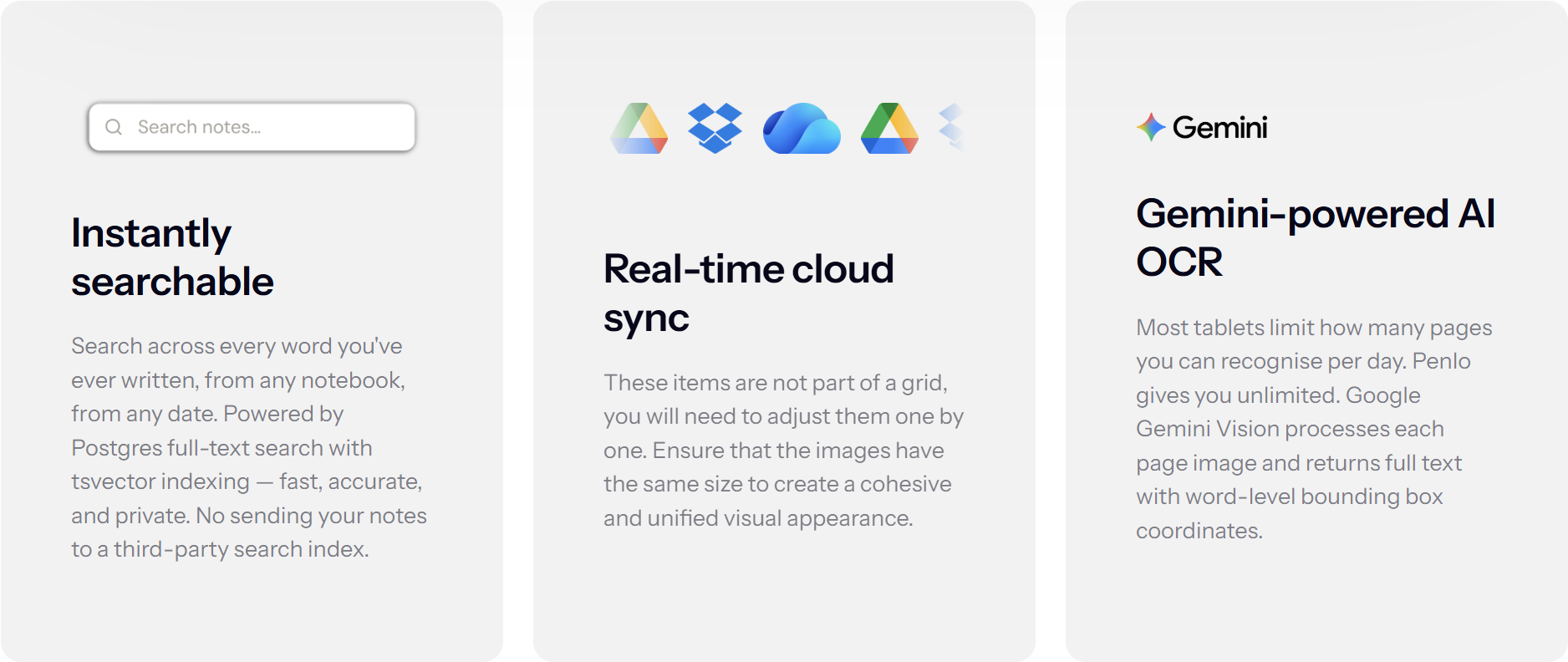
The OCR runs on Google Gemini Vision, which processes PDF pages directly without any intermediate conversion step. There's no daily cap. Every note is processed fully. Three post-OCR cleanup passes run automatically: joining broken lines, fixing spelling and grammar, normalising formatting – each toggleable individually from your settings.
Everything lands in a Penlo dashboard with full-text search across every notebook you've ever synced. The search runs on Postgres full-text search within Penlo's infrastructure – your notes don't go to a third-party search index.
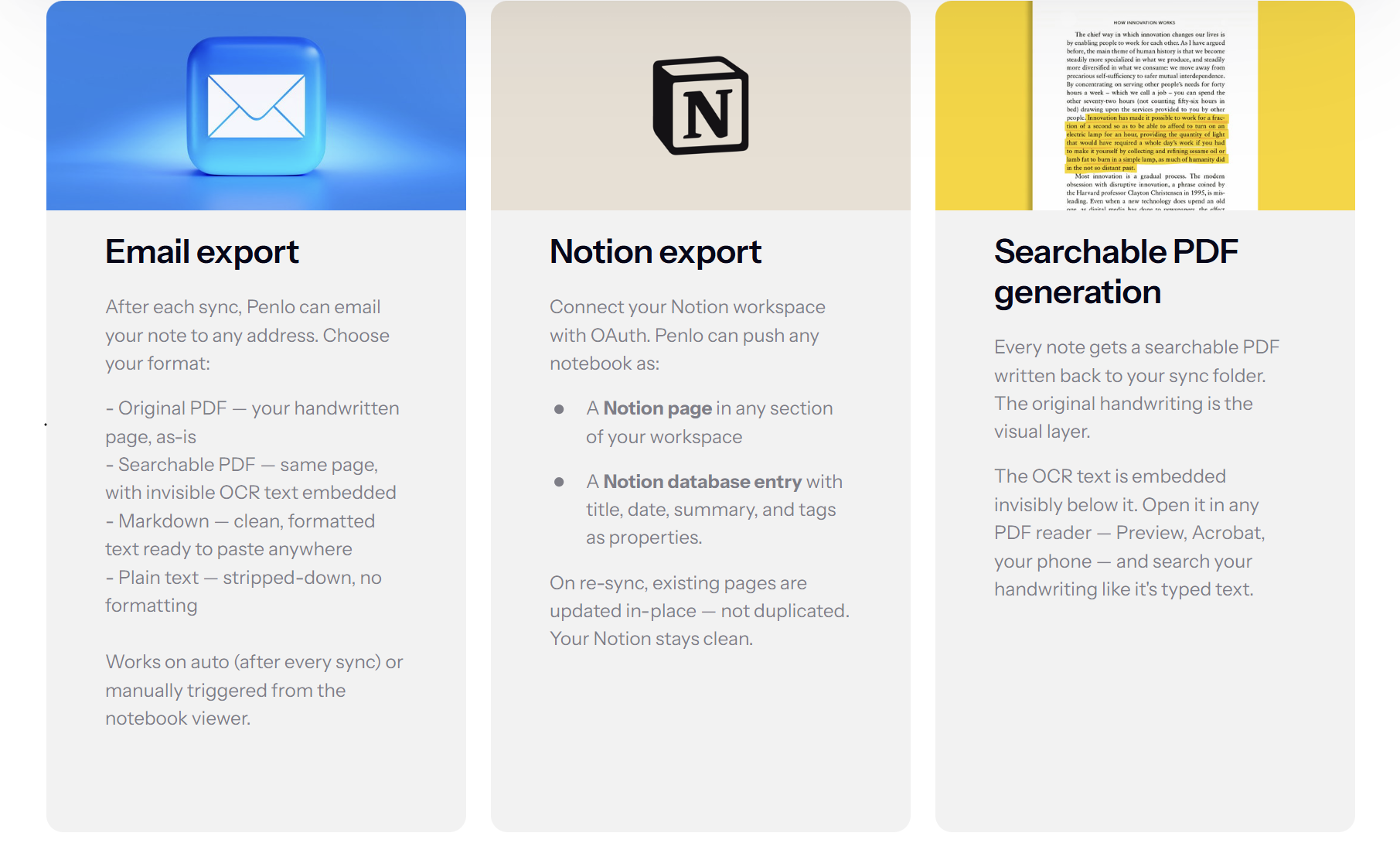
From there, Penlo can push to:
- Notion – as a page or structured database entry with title, date, AI summary, and auto-suggested tags as properties. Re-synced notes update in place rather than duplicating.
- Obsidian – as a Markdown file with YAML frontmatter written directly into your sync folder. Open that folder as a vault and notes appear automatically, complete with backlinks and graph view support.
- Email – original PDF, searchable PDF, Markdown, or plain text, delivered automatically after every sync or triggered manually from the notebook viewer.
- Markdown and plain text – written back to your sync folder alongside the original PDF on every sync.
- Outbound webhooks with HMAC signing, a REST API for programmatic access, and native integrations with Make.com, Zapier, and n8n (on the Power tier).
It doesn't care which device you use
Penlo watches a cloud folder. It doesn't know or care whether the PDF came from a Boox, a reMarkable, a Supernote, or a flatbed scanner. If your device saves PDFs to Dropbox or Google Drive, Penlo picks them up.
This also means switching hardware doesn't change your workflow. The folder stays the same, Penlo keeps watching it, and everything downstream -- Notion, Obsidian, search, email -- continues working regardless of which device is in your hand.
Getting started
Create a free account at penlo.app. Every new account gets a 7-day Power trial -- no credit card required -- so you can test every feature before committing to a plan.
Connect your cloud storage in Settings. Browse to the folder where your device saves its notes and confirm it. Penlo scans the folder on first connect and queues any existing notes for processing.
Configure your destinations – Notion, Obsidian, email, or Markdown export – and set which ones should fire automatically after each sync. Then close a notebook on your device and see what happens.
The free tier includes 20 OCR pages per month. Pro is $7/month for 500 pages and all destinations. Power is $12/month for unlimited pages, API access, and outbound webhooks.
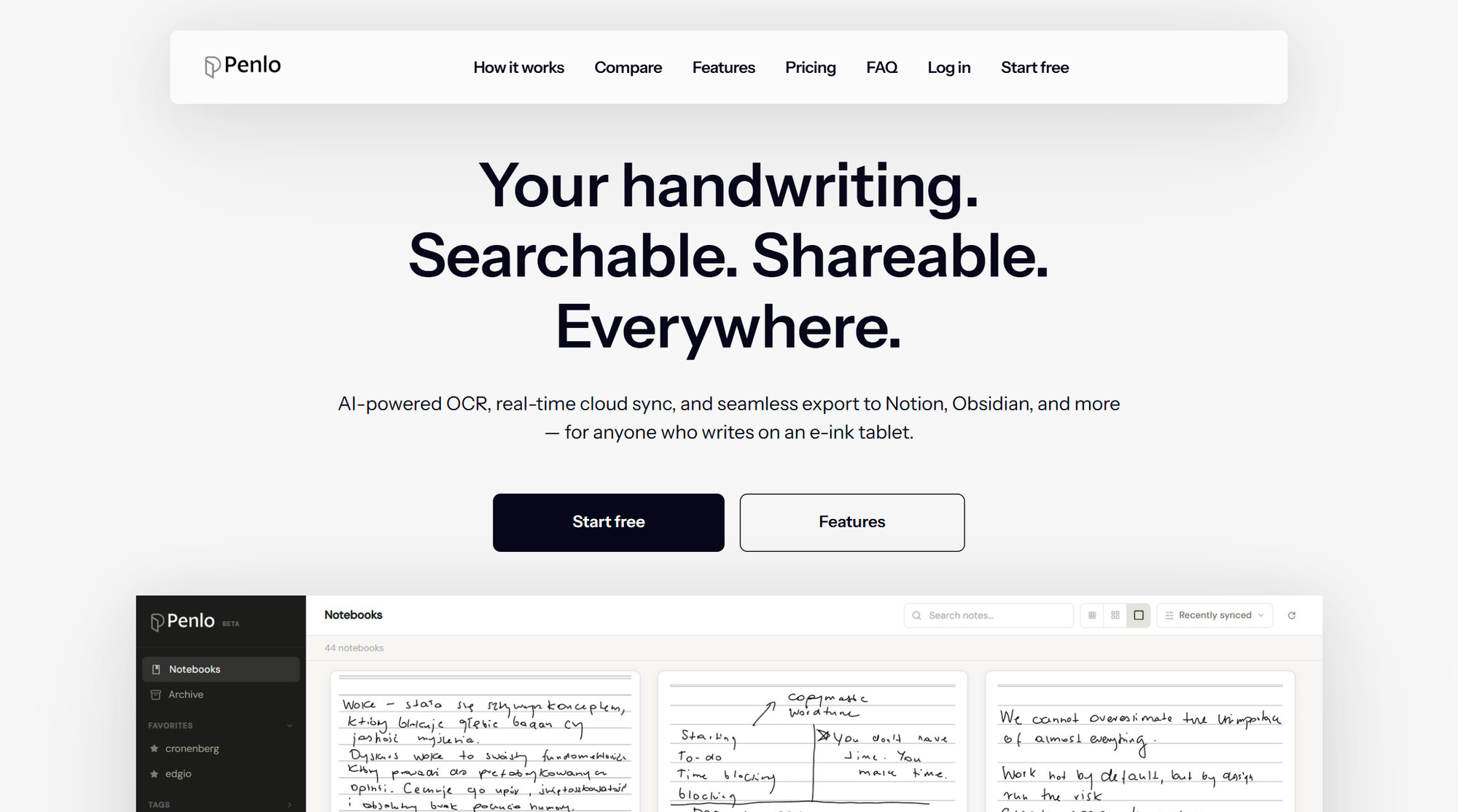
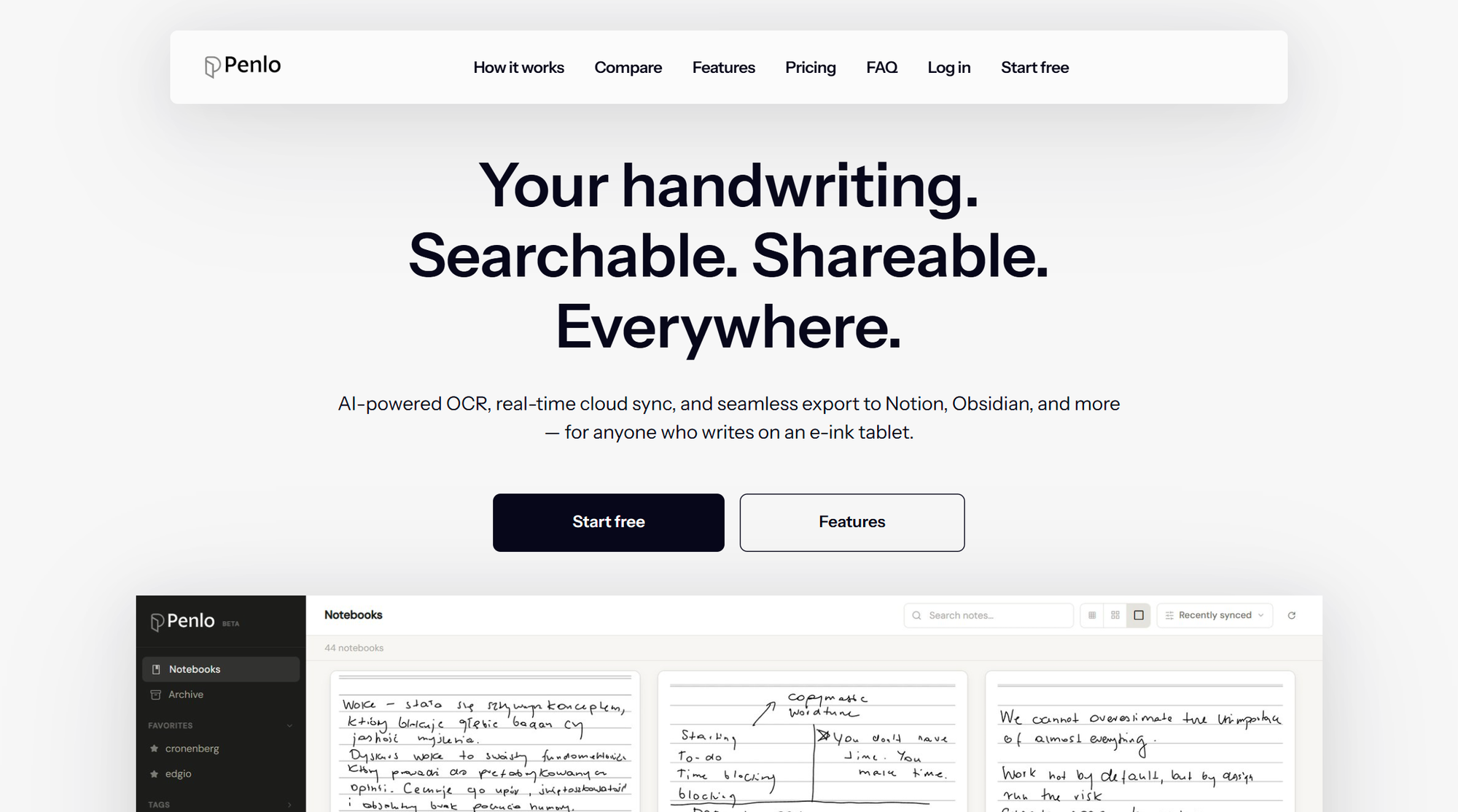
Penlo is the enhancement suite for your e-ink tablet -- the layer between your device and the rest of your digital life. It reads your handwriting using AI, makes every note searchable, and sends your notes to Notion, Obsidian, or your email the moment you close a notebook.
Works with Boox, reMarkable, Supernote, and any other e-ink tablet. Free to start, 7-day Power trial included -- no card required.
The hardware is solved. The workflow isn't.
The writing experience on e-ink tablets has gotten genuinely good. The gap has never been the hardware. It's always been the layer between the device and the rest of your digital life -- the OCR that actually works on difficult handwriting, the search that covers everything you've ever written, the automatic push to the tools you already use.
That layer is what Penlo is.


